Withholding tax
This page is for finance staff your administrator has given access to withholding tax in Payables. Approving a remittance needs a second person, as for supplier payments.
When you pay certain non-resident suppliers, part of the payment is withheld and owed to LHDN instead (see Supplier payments). A remittance records paying that withheld tax to LHDN, one section at a time. Open Payables → Withholding tax.
Where withheld tax comes from
Section titled “Where withheld tax comes from”Each payment with Tax withheld creates a deduction. Its status moves on as it is paid:
| Status | What it means |
|---|---|
| Not yet paid | The supplier payment is not approved yet |
| To remit | The payment is paid; the tax is waiting to be paid to LHDN |
| In a remittance | It is on a remittance that is not paid yet |
| Remitted | The remittance is paid |
| Exempt (treaty) | Nothing is due |
You see these on the payment, beside each deduction, with the date it is Due to LHDN.
The remittances list
Section titled “The remittances list”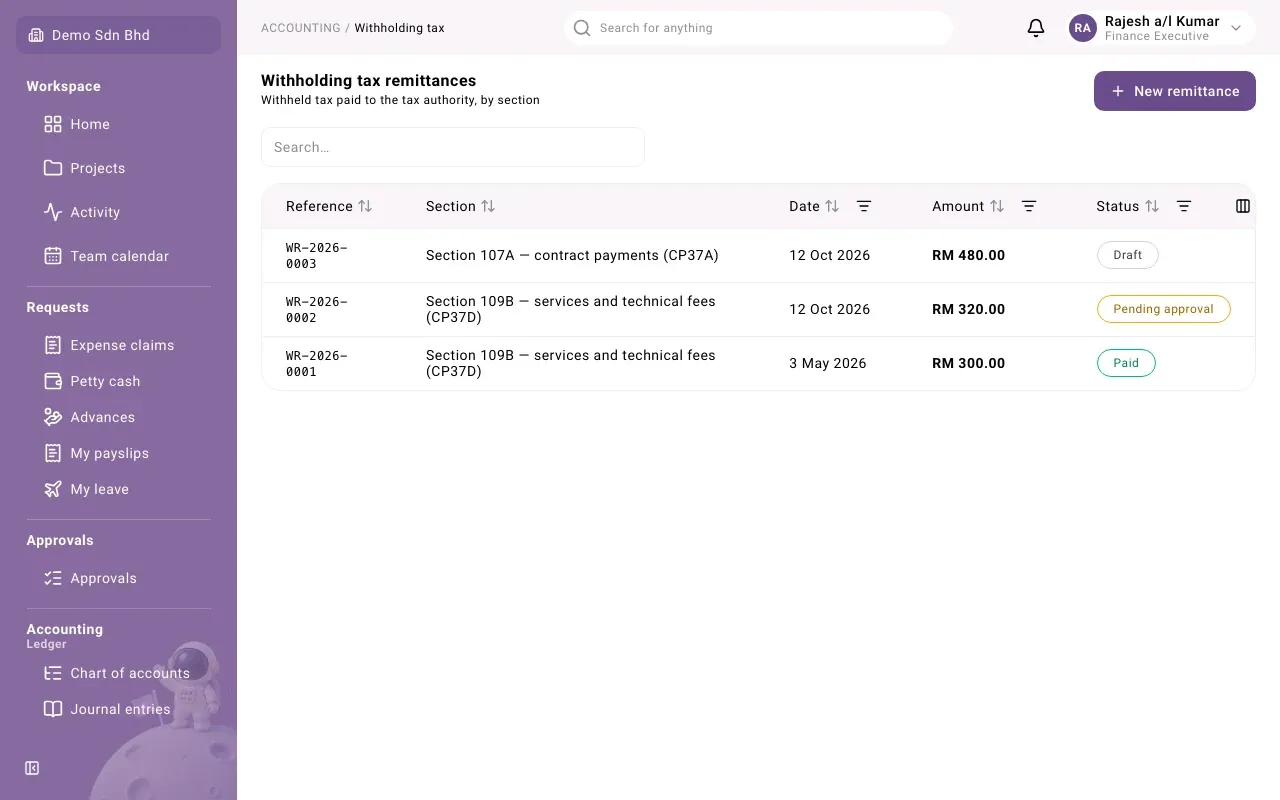
Each row shows the Reference (WR-…), the Section, the Date, the Amount (in ringgit) and the Status. Sort and filter from the column headings.
Record a remittance
Section titled “Record a remittance”-
Select New remittance.
-
Fill in:
Field What to enter Section The section the tax falls under, e.g. Section 109B — services and technical fees (CP37D). One remittance covers one section. Pay from The bank account the payment to LHDN leaves Payment date The date you pay LHDN Bank reference The bank’s reference, if you have it -
Under Deductions, tick each deduction to pay. Only deductions that are To remit in that section are listed, with the supplier and payment. Total to pay adds them up.
-
Select Submit, or Save draft to finish later.
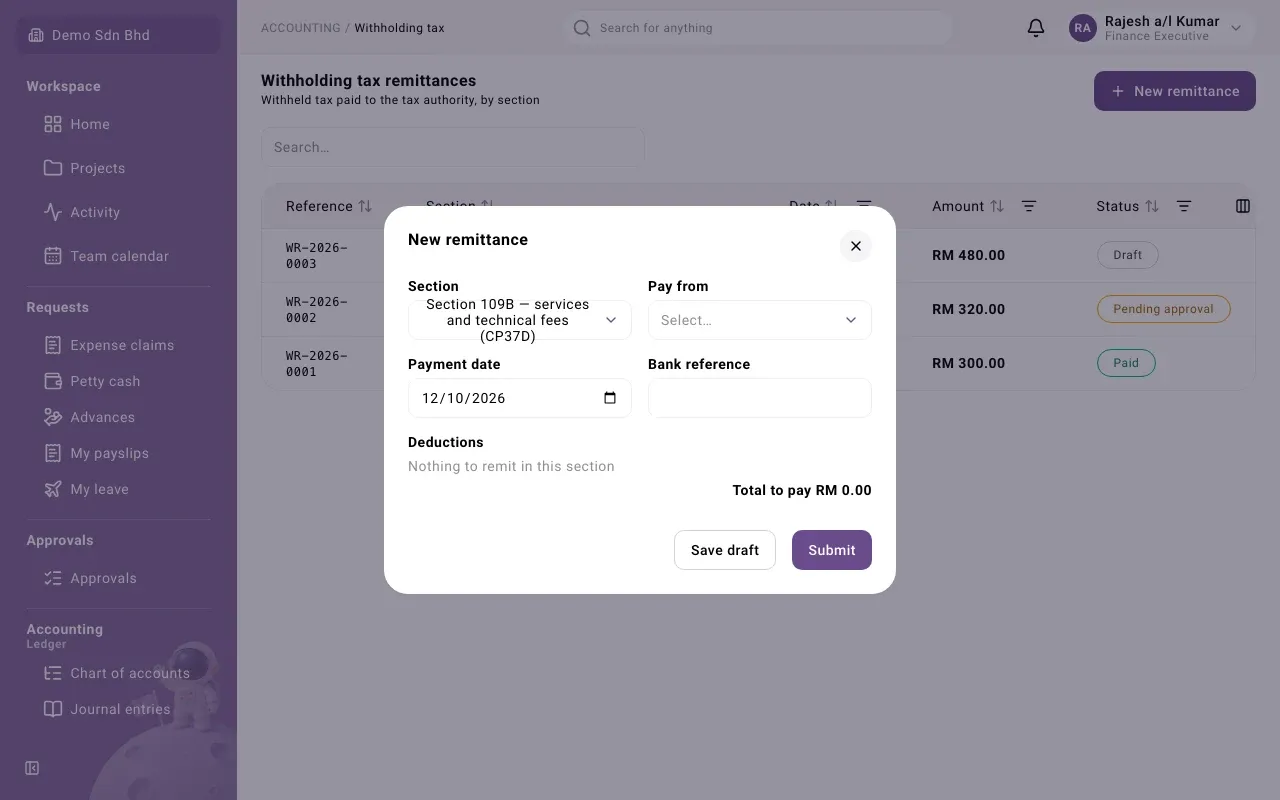
If you see “Nothing to remit in this section”, no paid deduction in that section is waiting.
Remittance statuses
Section titled “Remittance statuses”| Status | What it means | What happens next |
|---|---|---|
| Draft | Saved, not sent | Submit it, or Withdraw it |
| Pending approval | Waiting for a second person | They select Approve and pay, or Reject |
| Paid | Approved and posted to the ledger | Record the LHDN receipt number |
| Rejected | Sent back with a reason | The preparer selects Revise |
| Withdrawn | Dropped before it was submitted | Final |
| Voided | Reversed | Final |
You cannot approve a remittance you prepared, except as an organization’s only member, with a reason recorded as a sole-owner exception.
Record the LHDN receipt
Section titled “Record the LHDN receipt”After paying, LHDN issues a receipt.
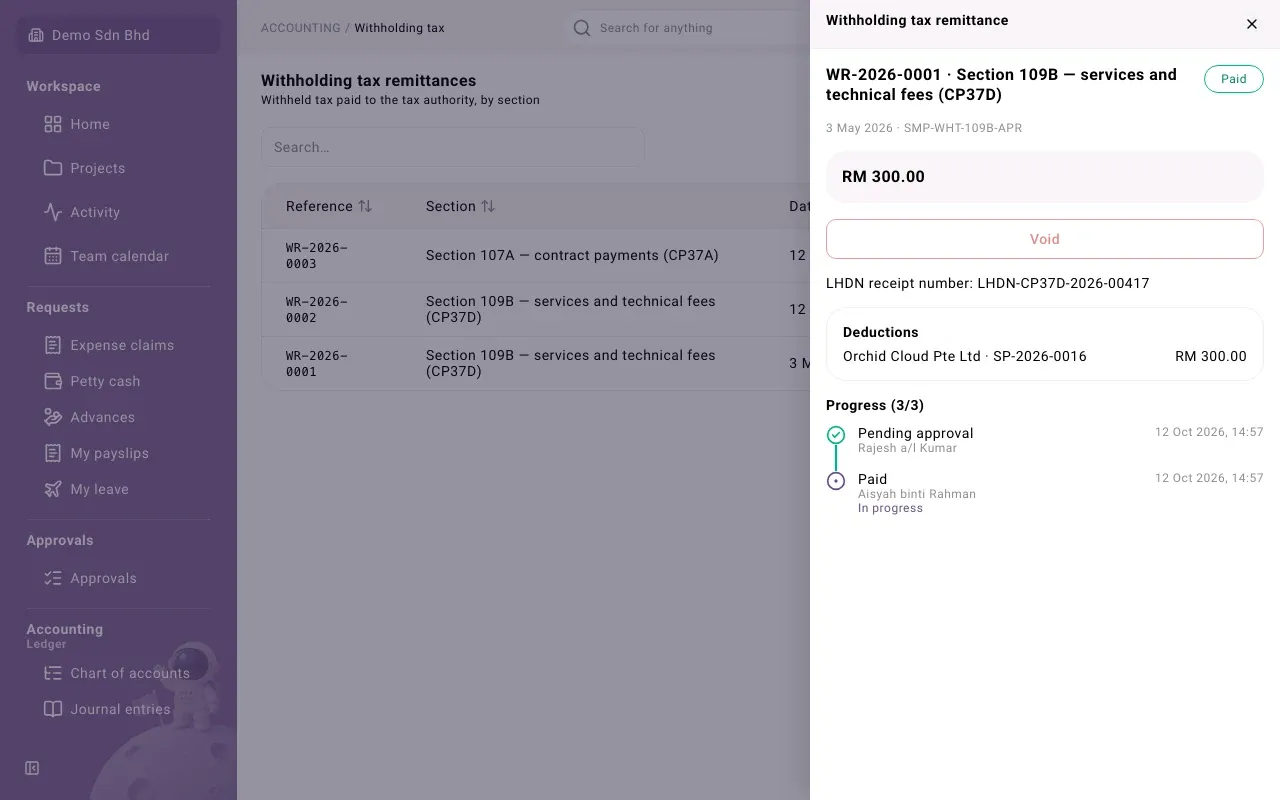
- Open the paid remittance.
- Type the LHDN receipt number and select Record LHDN receipt.
The panel then shows “LHDN receipt number: …”.
The withholding register
Section titled “The withholding register”Reports → Withholding register lists every deduction whose payment falls in a date range, by section: Supplier, Payment, Paid on, Taxable, Withheld, Status and the LHDN Receipt, with totals per section. Export downloads it.
Two flags may appear:
- Late (increase may apply): paid to LHDN after its due date, or still unpaid past it
- Invoice posted over a month before payment: the invoice was posted long before it was paid; ask your adviser whether that affects the due date
Problems
Section titled “Problems”| Message | What to do |
|---|---|
| “Every deduction on a remittance must be of the remittance’s section.” | Pick deductions of one section only. |
| “This withholding tax has already been remitted.” | Reload; another remittance already paid it. |
| “Record the receipt number once the remittance is paid.” | Approve the remittance first. |
| “Withholding tax is filed in ringgit, so it needs the organization’s base currency to be MYR.” | Speak to your administrator. |