Advances
An advance is cash paid to you before you spend it. You later account for what you spent; this is called an acquittal.
Request an advance
Section titled “Request an advance”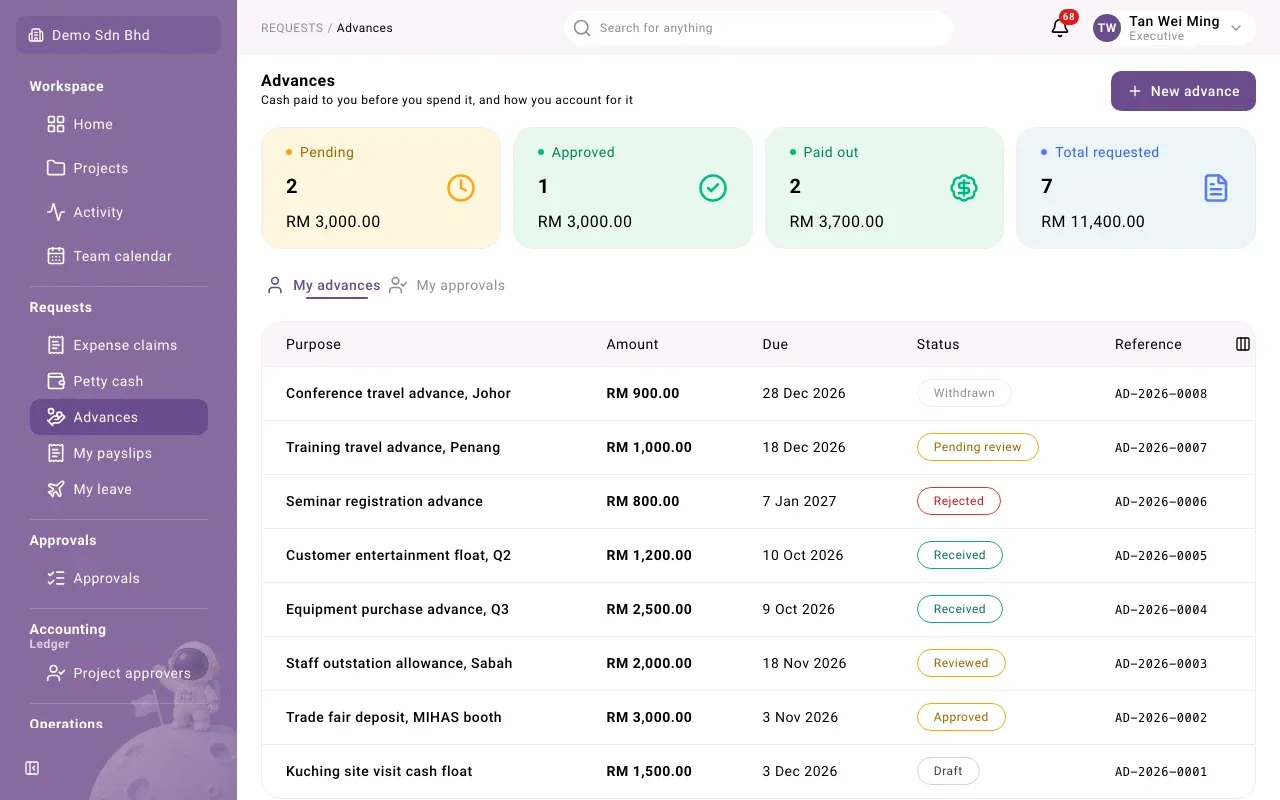
-
Open Advances and select New advance.
-
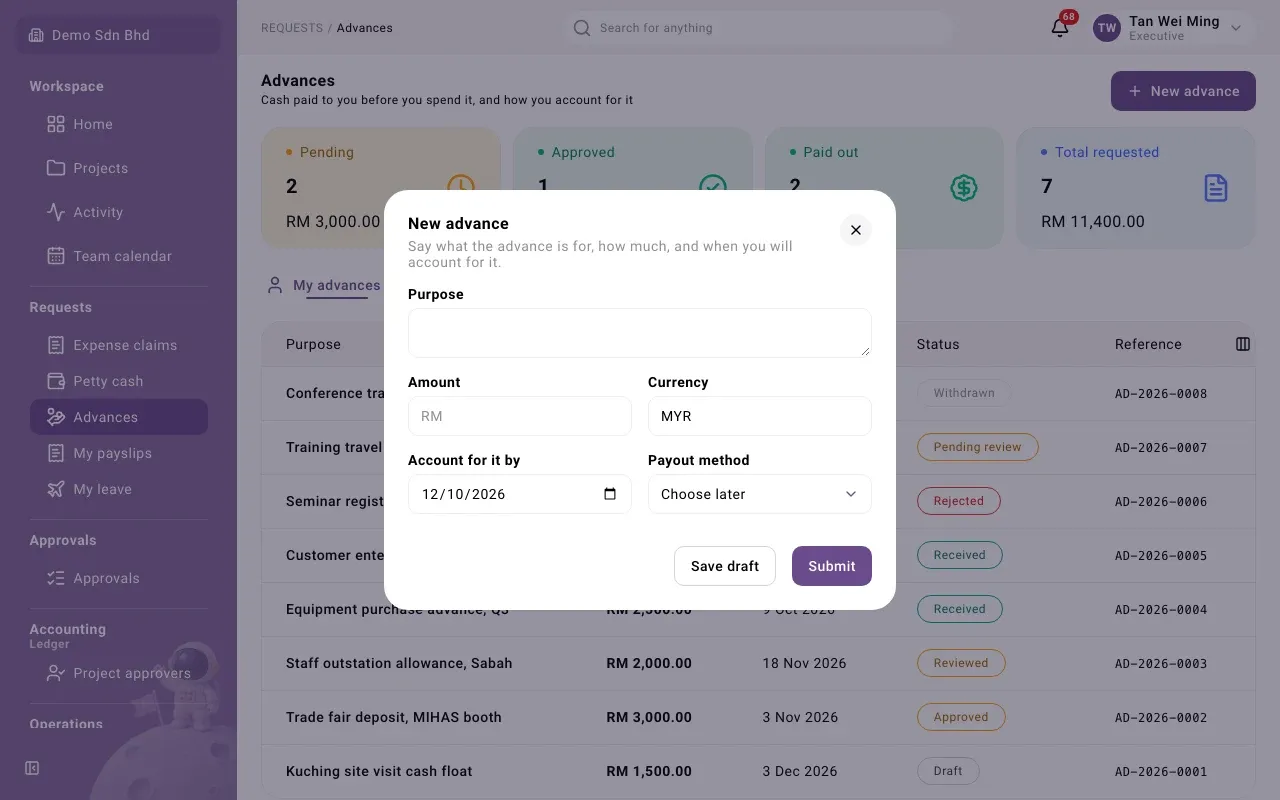
Fill in:
Field What to enter Purpose What the advance is for Amount and Currency How much, e.g. 500.00 in MYR Account for it by The date you will account for it Payout method How you want to receive it, or Choose later -
Save draft to finish later, or Submit. You will see “Advance … submitted”.
Advances go through approval too. Follow yours under My advances; approvers use My approvals.
Account for it (acquittal)
Section titled “Account for it (acquittal)”After you have spent the money, open the advance and fill in the Record acquittal form.
- Enter Amount spent and attach the Receipt, with its Receipt date, Category and Receipt evidence, as in a claim.
- If you spent nothing, choose Nothing was spent and say why.
- Select Save acquittal.
The difference is worked out when your acquittal is accepted:
| Outcome | Meaning |
|---|---|
| Exact — nothing to settle | You spent exactly the advance |
| Top-up to you | You spent more; the company pays you the difference |
| Refund to the company | You spent less; return the difference |
| Returned in full | Nothing spent, all returned |
Overdue advances
Section titled “Overdue advances”If you pass your Account for it by date, the advance shows how many days overdue it is. Your manager is reminded too. Please record your acquittal as soon as you can.