Turning modules on and off
Modules lets an administrator choose which parts of mcomtask the organization uses, such as Claims, Payroll or CRM. It is for people your administrator has allowed to administer the organization. The Owner has this access.
Open Modules under Manage in the sidebar.
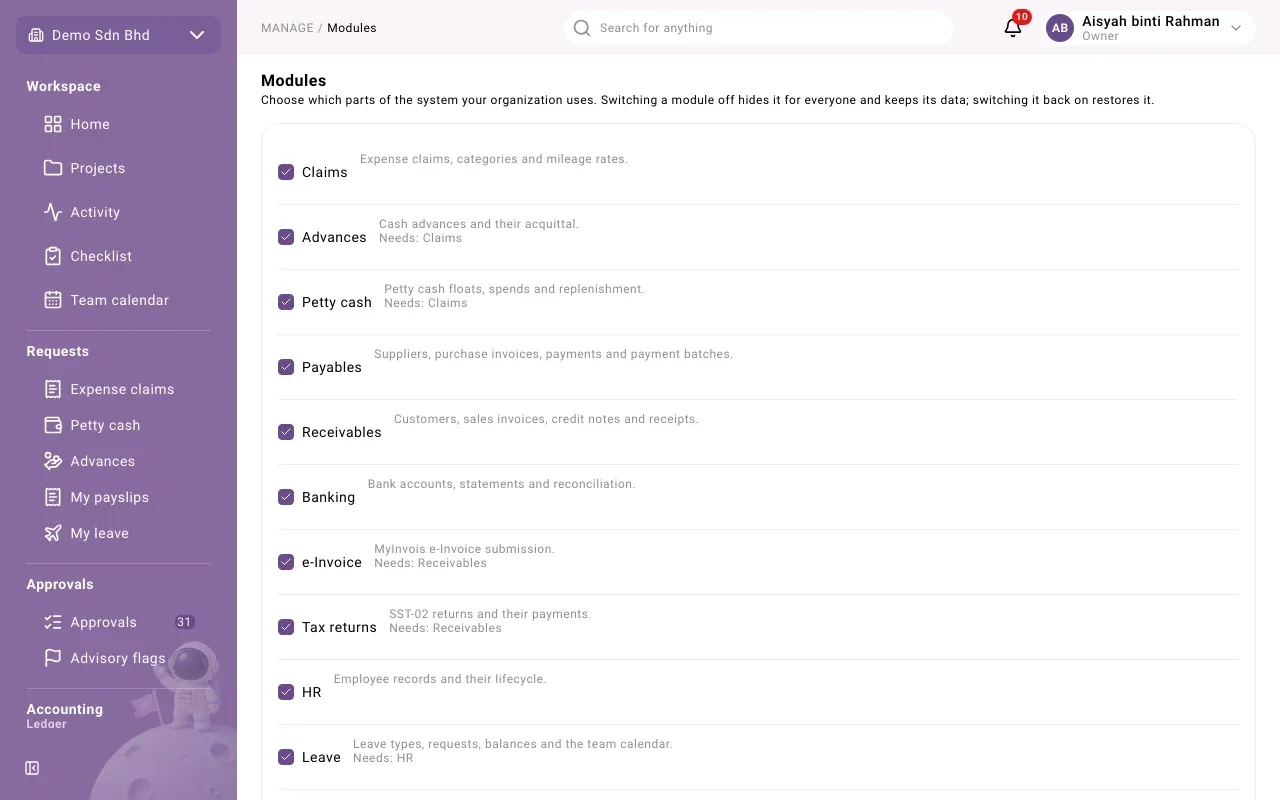
The modules
Section titled “The modules”| Module | What it covers |
|---|---|
| Claims | Expense claims, categories and mileage rates |
| Advances | Cash advances and their acquittal |
| Petty cash | Petty cash floats, spends and replenishment |
| Payables | Suppliers, purchase invoices, payments and payment batches |
| Receivables | Customers, sales invoices, credit notes and receipts |
| Banking | Bank accounts, statements and reconciliation |
| e-Invoice | MyInvois e-Invoice submission |
| Tax returns | SST-02 returns and their payments |
| Inventory | Items, units of measure and warehouses |
| Procurement | Requisitions, purchase orders and goods receipts |
| Sales | Quotations, sales orders and deliveries |
| Fixed assets | Asset register, monthly depreciation and disposals |
| HR | Employee records and their lifecycle |
| Leave | Leave types, requests, balances and the team calendar |
| Payroll | Salaries, pay items, monthly runs and payslips |
| CRM | Accounts, contacts, leads and the sales pipeline |
The list on your screen may differ slightly. Under a module, “Needs:” names any module it depends on.
Switch a module on or off
Section titled “Switch a module on or off”- Tick a module to switch it on, or untick it to switch it off.
- It saves straight away. You see, for example, “Payroll is on” or “Payroll is off”.
The sidebar and everyone’s access follow the change.
What happens when a module is off
Section titled “What happens when a module is off”“Switching a module off hides it for everyone and keeps its data; switching it back on restores it.”
- Its pages leave the sidebar for everyone, and no one can use it, whatever their role.
- Nothing is deleted. Records, documents and ledger entries made through it stay.
- Rows for that module leave the setup checklist.
Modules that depend on each other
Section titled “Modules that depend on each other”Some modules need another one to be on.
| Message | What to do |
|---|---|
| Switch on the module it needs first. | Tick the module named under “Needs:”, then try again. |
| Another module that is on needs this one. Switch that off first. | Untick the module that depends on this one first. |
During company setup
Section titled “During company setup”The Owner first chooses modules in the Modules step of company setup. This page is where you change that choice later.