Consolidation runs
A run is one consolidation of a group at one date. It reads every member’s books as they stand when you make it, and keeps the result, the rates and the rules it used, so it can always be shown again exactly as it was. A run is never edited: if something changes, you make a new run and mark the old one superseded.
This page is for people your administrator has given access to consolidation runs. Making a run and approving one are separate permissions, and the person who made a run cannot approve it. Set the group up first: see Consolidation set-up.
Make a run
Section titled “Make a run”- Open Consolidation, choose the group, and stay on the Runs tab.
- Select New run.
- Enter Period from (the first day of the period) and As of (“The reporting date, inclusive”).
- Select Create run.
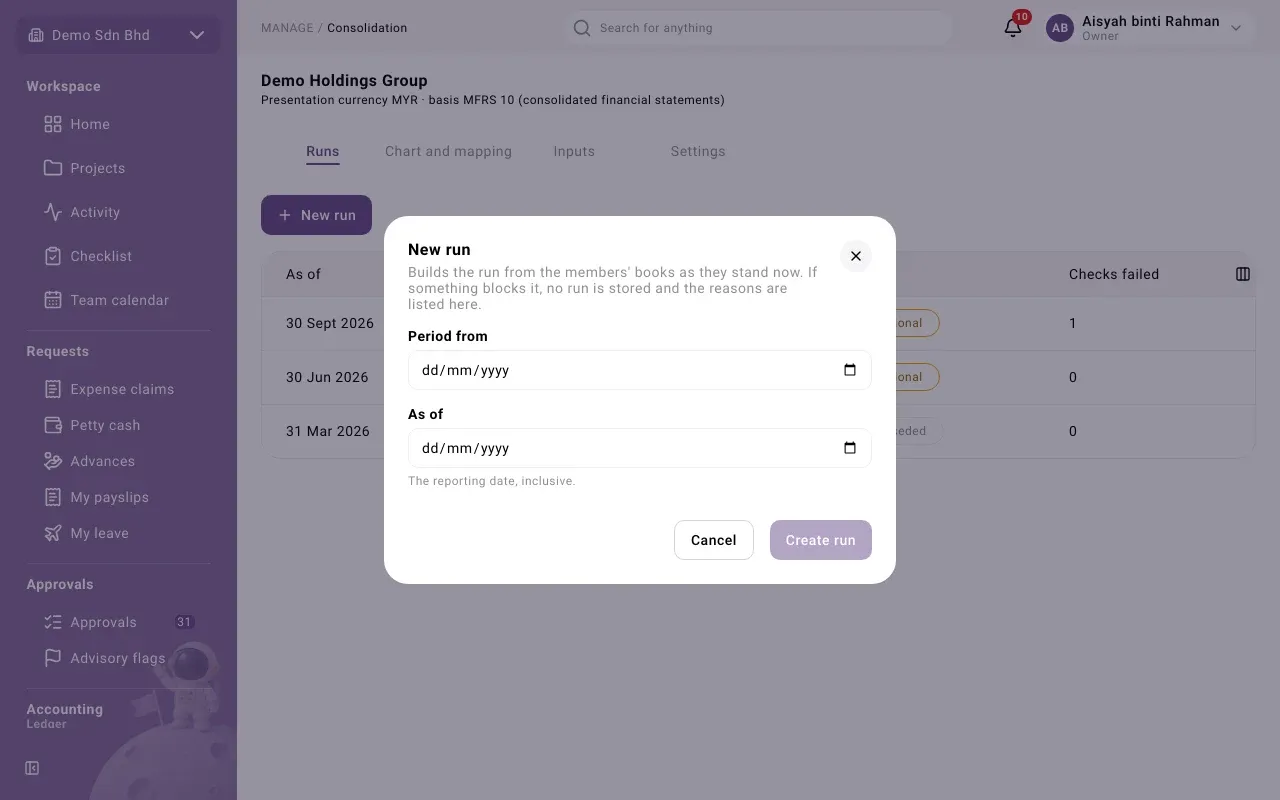
If the run can be made, it opens. If something blocks it, you see The run was not created: “Nothing was stored. Fix what is listed, then try again.” Each line names the member, the account if there is one, and the problem, for example a member that has not given consent or an account with no map.
The Runs list shows each run’s As of date, Period, Status and how many Checks failed. Select a run to open it.
Statuses
Section titled “Statuses”| Status | Meaning |
|---|---|
| Provisional | Something is missing or unconfirmed. It cannot be approved yet. |
| Final | Nothing is missing and every check passed. It can be approved. |
| Approved | A second person approved it. The header reads Approved · FINAL. |
| Superseded | A newer run replaces it. It stays as evidence. |
Every output and export says PROVISIONAL or FINAL at the top.
Read a run
Section titled “Read a run”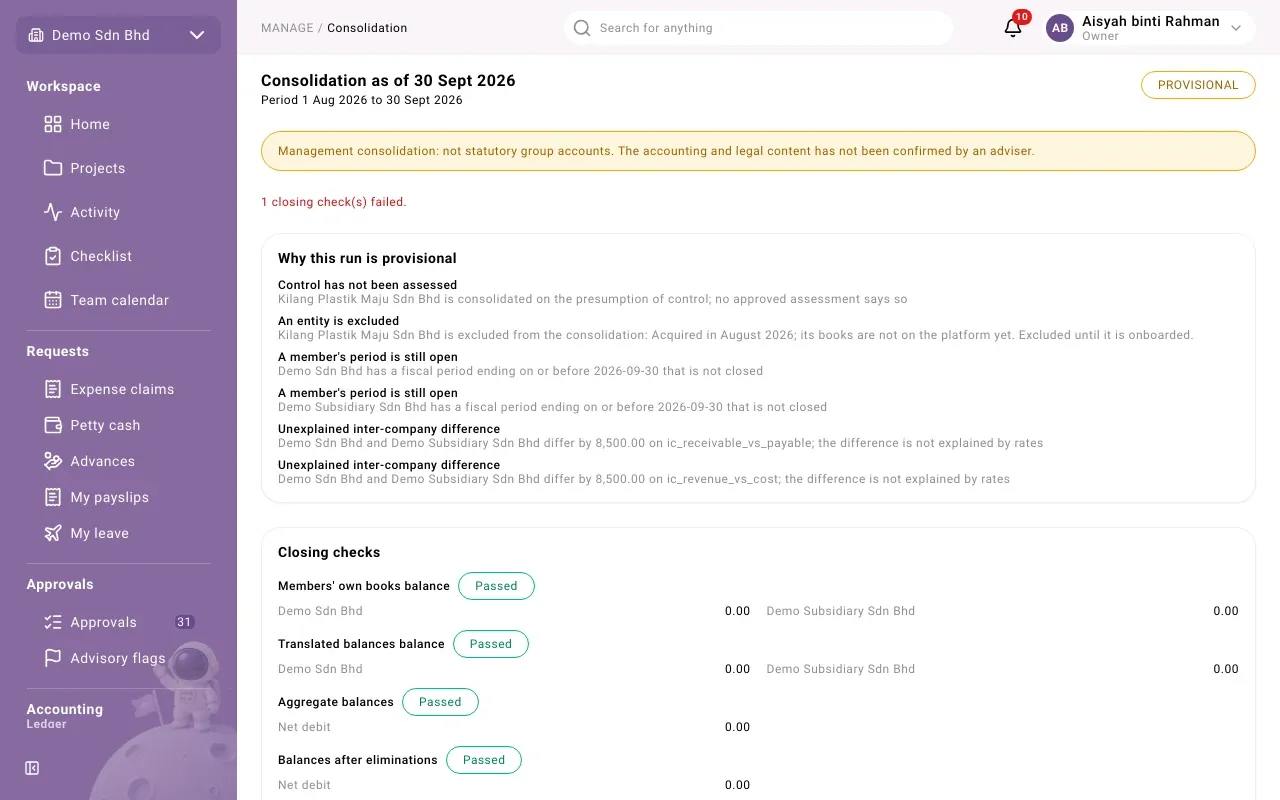
The run page shows, from the top:
- Why this run is provisional: each reason, for example “Control has not been assessed”, “A member’s period is still open”, “Inter-company balance with an unidentified counterparty” or “Unexplained inter-company difference”. Fix the cause and make a new run. Once a difference is accepted, the card is titled Differences accepted for this run.
- Closing checks: each check, such as Balance sheet balances or Inter-company pairs net to zero, marked Passed, Failed or Warning, with its figures. A run with a failed check cannot be approved. Two checks are advisory and never block: customers or suppliers with balances that are not mapped as group counterparties, and differences from the audited statements.
- Has anything changed since this run?: select Check for changes to compare each member’s books now with what the run read. “It changes nothing.” If a member changed, make a new run.
- The outputs, in tabs (below).
- Rules and rates used: the rule version, rounding mode, average-rate method, tolerance, the Members with their treatment and ownership, and the Exchange rates used.
Outputs
Section titled “Outputs”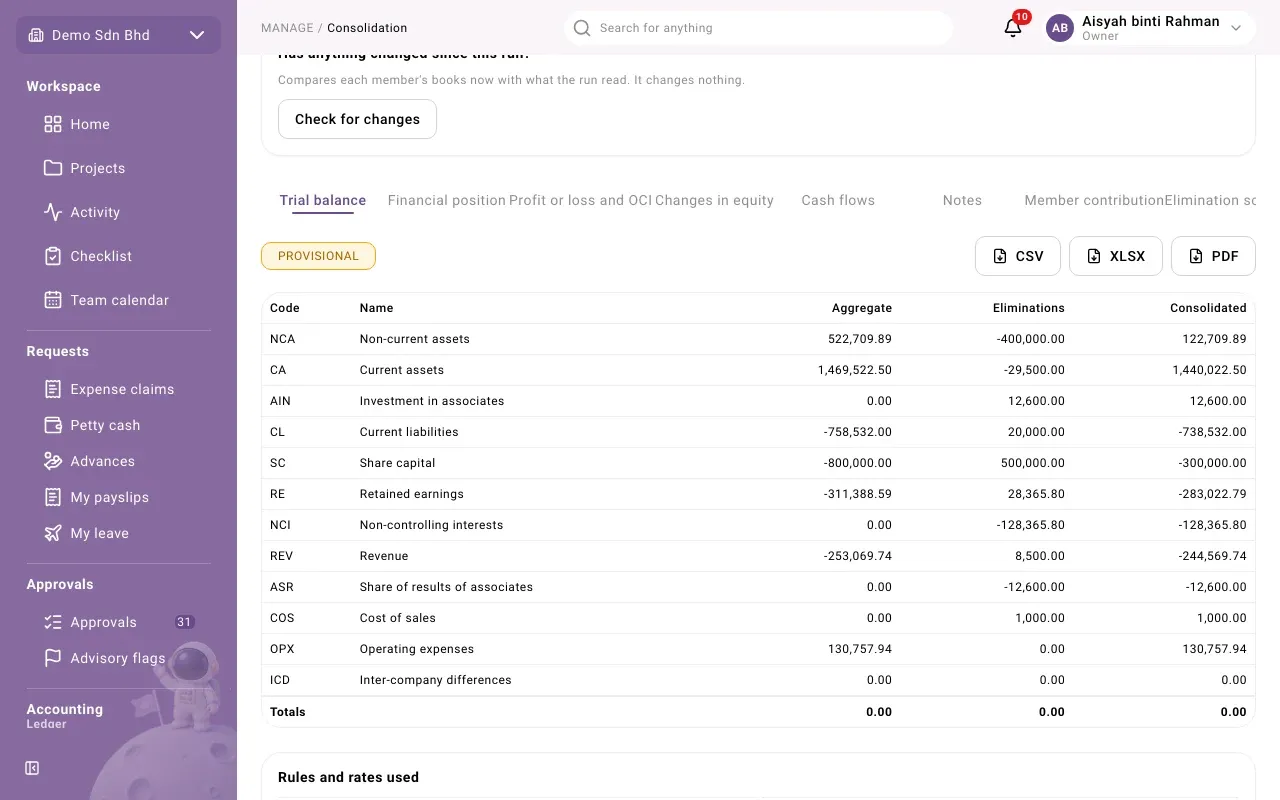
| Tab | What it shows |
|---|---|
| Trial balance | Each reporting line: Aggregate (members added up), Eliminations, Consolidated |
| Financial position | The consolidated balance sheet |
| Profit or loss and OCI | The consolidated income statement |
| Changes in equity | Opening to closing, by share capital, retained earnings, translation reserve and non-controlling interests |
| Cash flows | Indirect method, from this run and the previous approved run. It needs a previous approved run and a reporting line classed as cash. |
| Notes | Basis, group structure, rates, goodwill, non-controlling interests, associates and eliminations, with cross-checks to the statements |
| Member contribution | What each member brings in, translated, with the non-controlling share |
| Elimination schedule | Every elimination entry, by kind, with its debit and credit lines |
Each output can be exported as CSV, XLSX or PDF with the buttons beside it.
Approve a run
Section titled “Approve a run”People who may approve see the buttons under the checks.
- Approve run approves a final run. You will see “Run approved.” It must be someone other than the person who made it: otherwise “You made this, so a different person must approve it.”
- Accept a difference accepts one unexplained inter-company difference with a Reason, so the run is no longer provisional for it. A different person from the run’s creator must do this. A difference explained by exchange rates cannot be accepted this way.
- Supersede run marks this run as replaced: choose the newer run in Replaced by.
Problems
Section titled “Problems”| Message | What to do |
|---|---|
| “The closing checks failed, so this run cannot be approved.” | Read the failed checks, fix the cause, make a new run. |
| “This run is still provisional. Resolve or accept what makes it so first.” | Work through Why this run is provisional. |
| “This member has not given consent for its figures to be read.” | Ask the member to give consent. |
| “This run has been superseded.” | Open the newer run. |