Leave balances and reports
This page is for HR. Balances and Leave taken need access to read all leave; adjusting a balance, recording leave for someone and Approvals and leave need access to manage leave. The employee’s own side (My leave and the Team calendar) is in Leave and payslips.
All of these are tabs on Leave setup.
Balances
Section titled “Balances”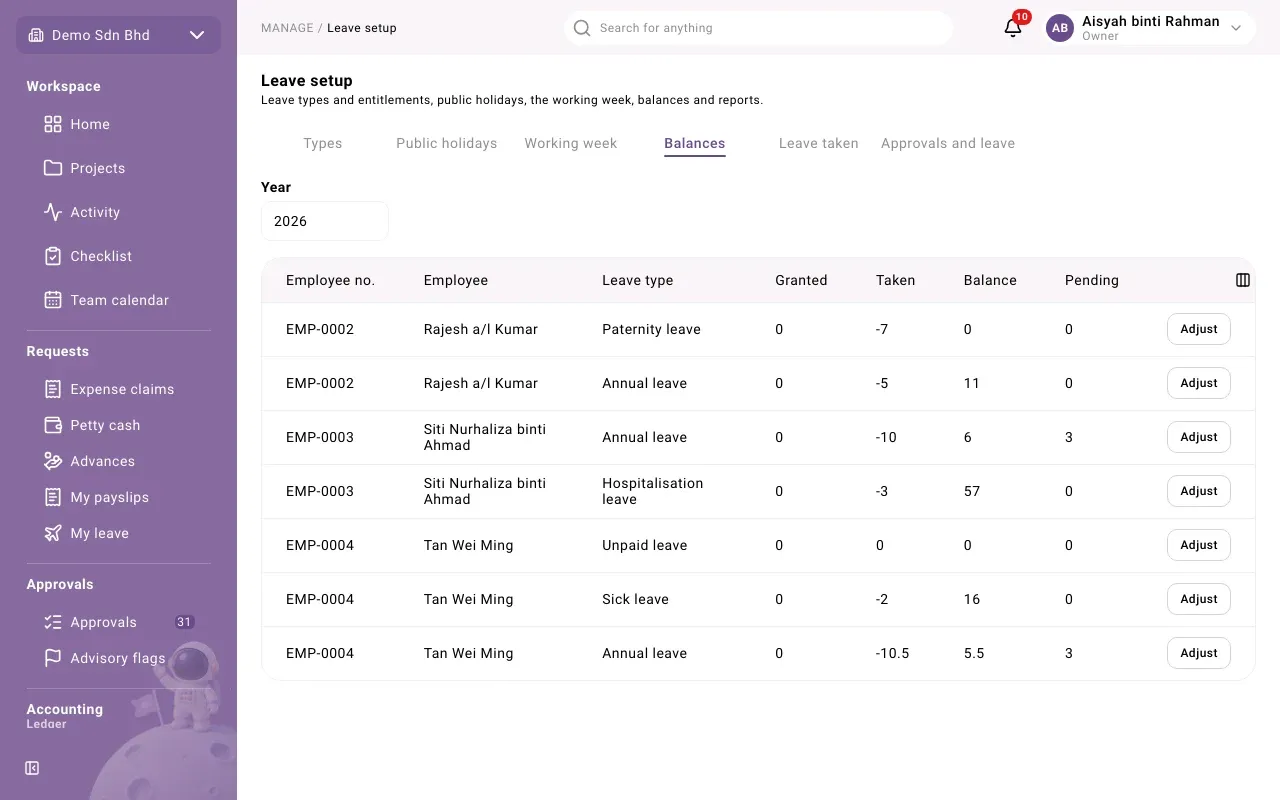
Set the Year to see that year. Each row is one employee and one leave type:
| Column | Meaning |
|---|---|
| Employee no. and Employee | Who |
| Leave type | Which leave |
| Granted | Days granted for the year |
| Taken | Days of approved leave |
| Balance | Days left |
| Pending | Days in requests still waiting for a decision |
A balance is never typed in. It is worked out from a running record of grants, leave taken, cancellations and adjustments, and that record is never edited.
Adjust a balance
Section titled “Adjust a balance”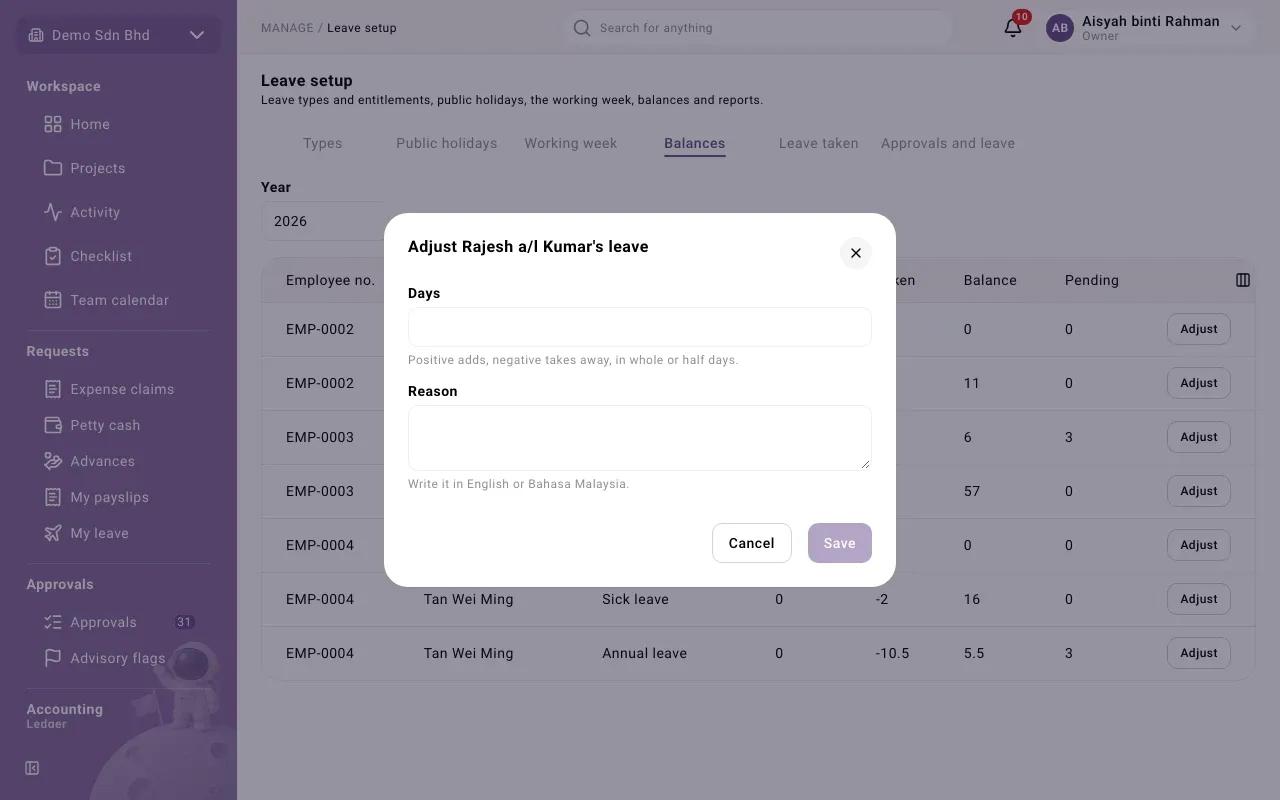
- Select Adjust on the row.
- Enter Days: positive adds, negative takes away, in whole or half days (for example 1 or -1.5).
- Enter a Reason, in English or Bahasa Malaysia. It is required.
- Select Save. You will see “Saved.”
An adjustment is added to the record; it does not replace anything. To undo one, make an opposite adjustment.
Leave taken
Section titled “Leave taken”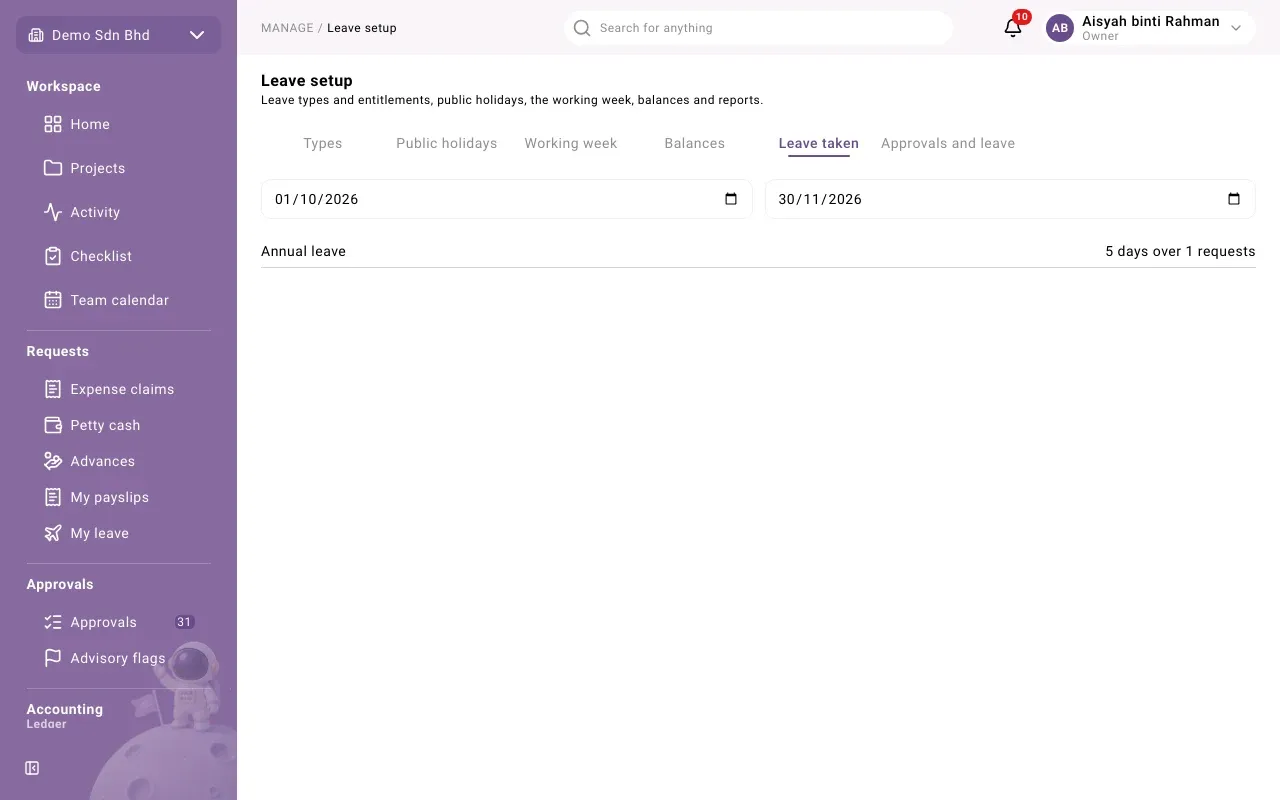
Choose a period with the two dates (up to a year). For each leave type you see the total, for example “6 days over 3 requests”. If nothing was taken you will see “No leave taken in this period.”
Approvals and leave
Section titled “Approvals and leave”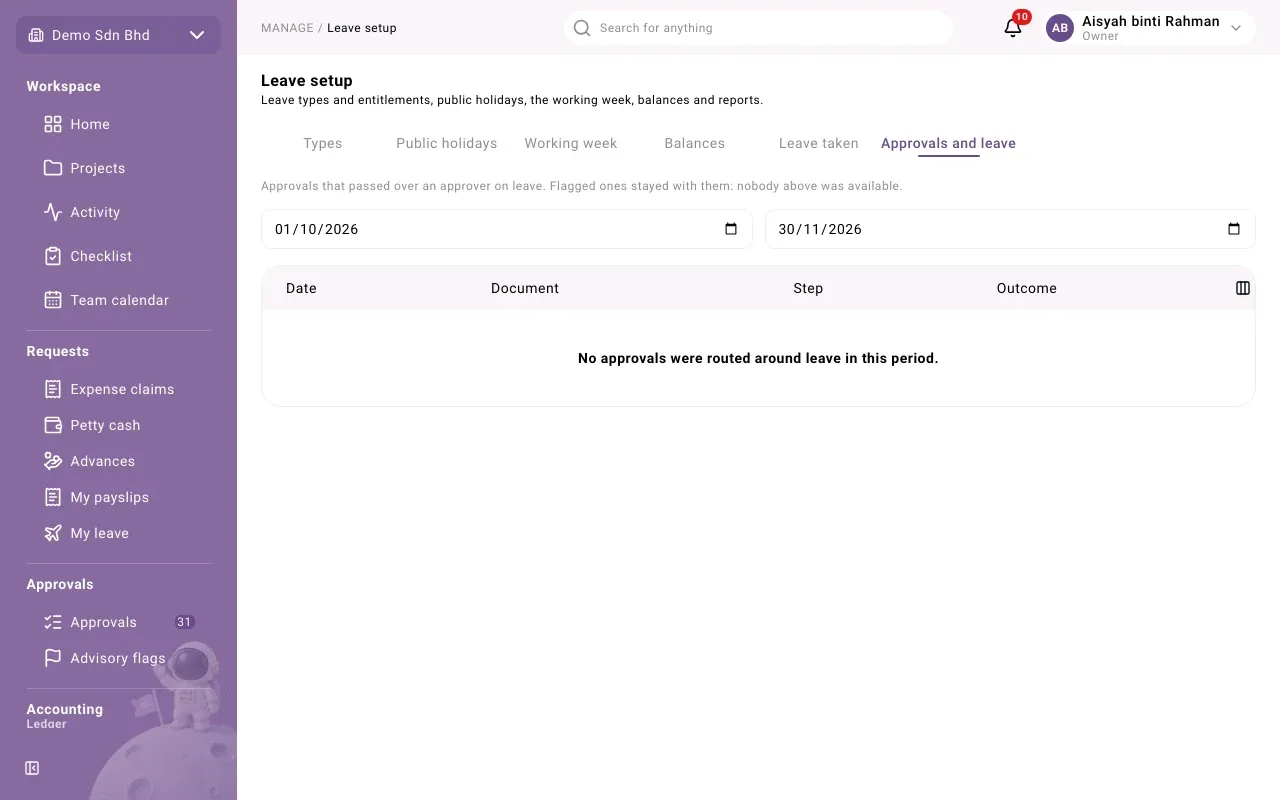
When an approver is on approved leave, documents waiting for them (claims, advances, leave requests and so on) move up to the next available person above them. Nobody delegates anything; the system does it, and records it.
This tab lists those moves for the period you choose: the Date, the Document, the Step and the Outcome:
- Moved up: the step went to someone above.
- No alternate: nobody above was available, so it stayed with the person on leave. It is never refused; it waits for them. Consider asking someone to cover.
If there were none you will see “No approvals were routed around leave in this period.”
Record leave for an employee
Section titled “Record leave for an employee”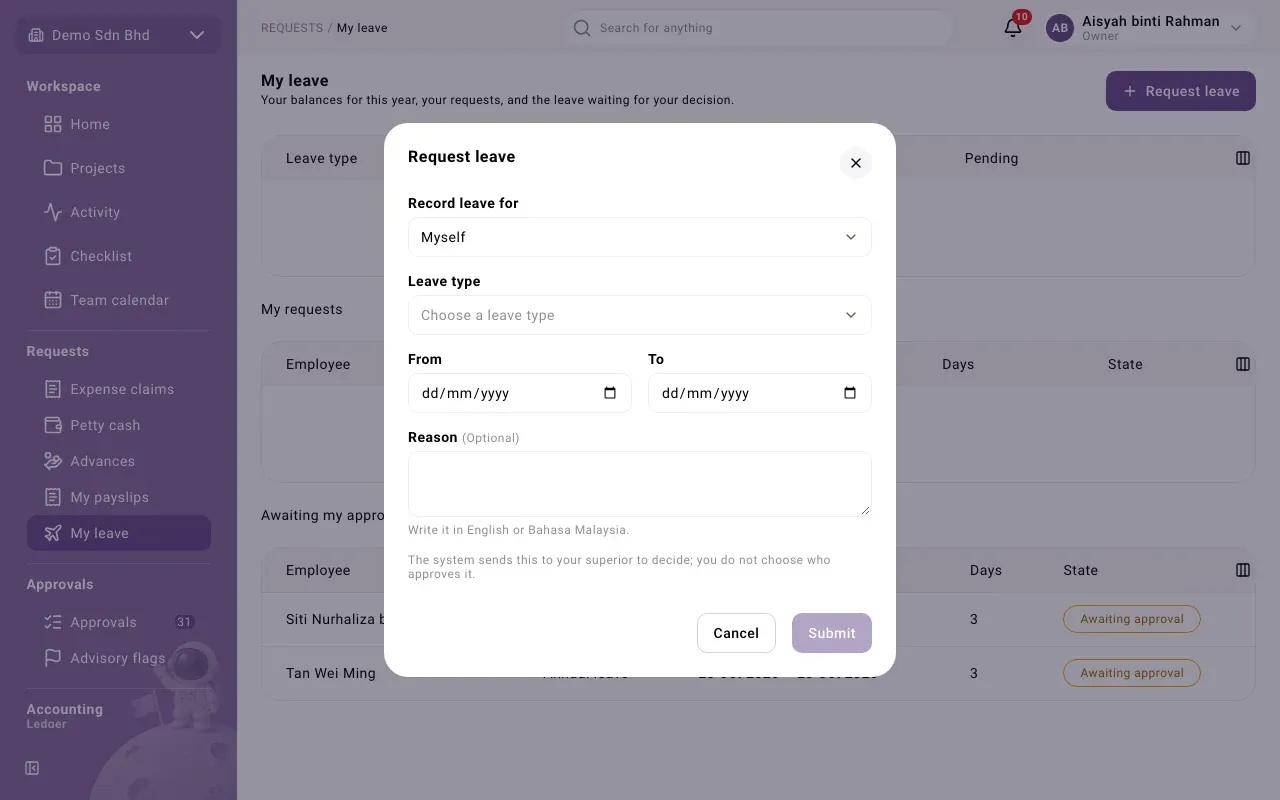
HR can enter leave on someone’s behalf, for example when they phone in sick:
- Open My leave and select Request leave.
- Under Record leave for, choose the employee instead of Myself. Only employees with an active login who are Active or Serving notice are listed.
- Fill in the leave type, dates and reason as usual, and attach the medical certificate if the type needs one.
- Select Record. You will see “Draft recorded for … . They submit it from their own leave page.”
It stays a draft. The employee submits it, and the system picks their approver. The request shows “Entered by HR on the employee’s behalf.”
Approving leave
Section titled “Approving leave”Leave requests go to the employee’s superior, worked out by the system. Approvers see them on My leave under Awaiting my approval. Open one to see the type, dates, days, who decides, any reason and the medical certificate (shown only to the approver, HR and people allowed to see it), then select Approve or Reject (with a reason).
Approved leave comes off the balance. The employee can Cancel leave before it starts, which gives the days back. Approved unpaid leave is deducted in that month’s payroll run.
Problems
Section titled “Problems”- “There is not enough of this leave left for these days…” Paid leave cannot go below zero. Adjust the balance if that is right, or ask for unpaid leave.
- “Nobody is set up to approve the Owner’s leave.” An administrator must add an approver for the Owner’s leave in the leave request workflow.
- “This adjustment would take the leave below its statutory minimum for the year.”