Payout channels
A payout channel is a way your organization pays people back, such as a bank transfer, DuitNow, an e-wallet or cash from a petty-cash float. It is what employees choose as the Payout method when they file a claim. Each channel also says which details a member must save before it can be used, such as a bank name and account number.
Open Payout channels under Manage. It is for administrators your organization has given access to manage payout channels.
The Channels tab
Section titled “The Channels tab”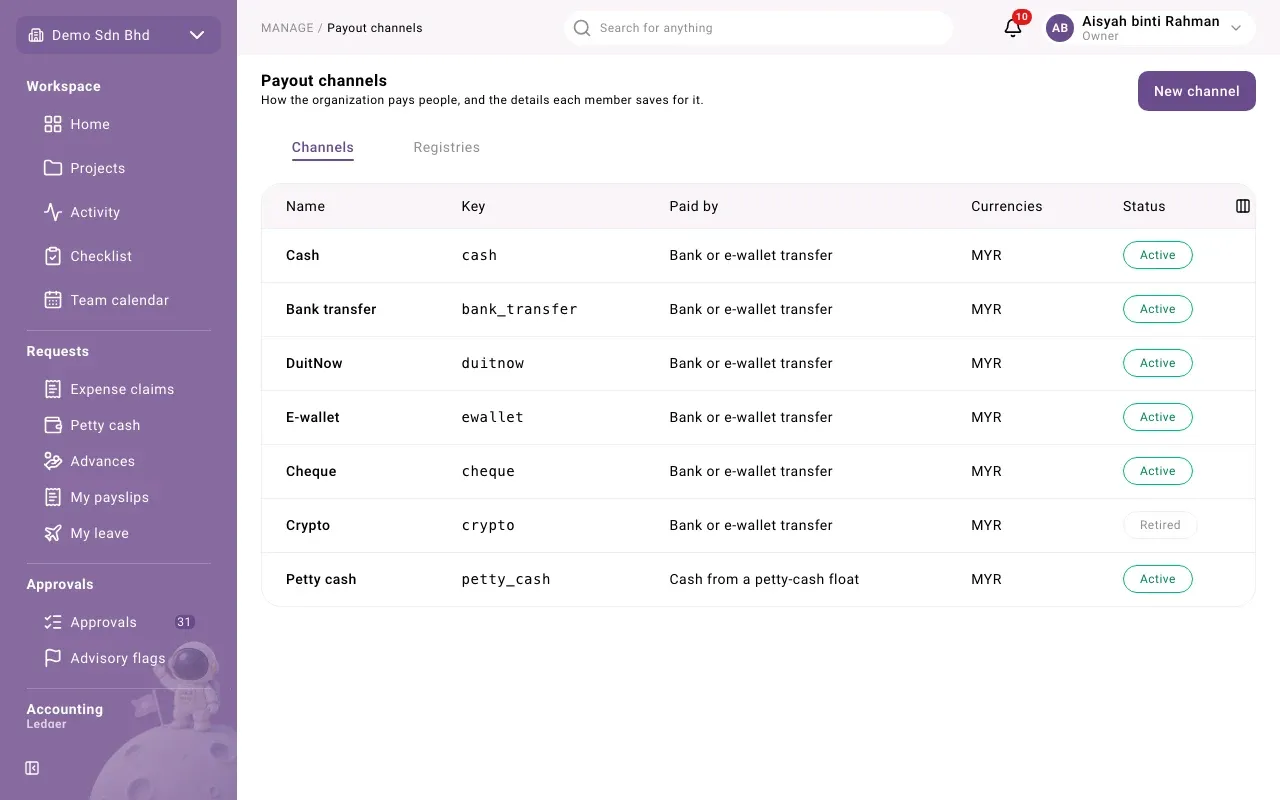
| Column | What it shows |
|---|---|
| Name | What members see |
| Key | The channel’s fixed key |
| Paid by | Bank or e-wallet transfer, or Cash from a petty-cash float |
| Currencies | The currencies it can pay in |
| Status | Active, or Retired |
Select a row to edit a channel, or New channel to add one.
Set up a channel
Section titled “Set up a channel”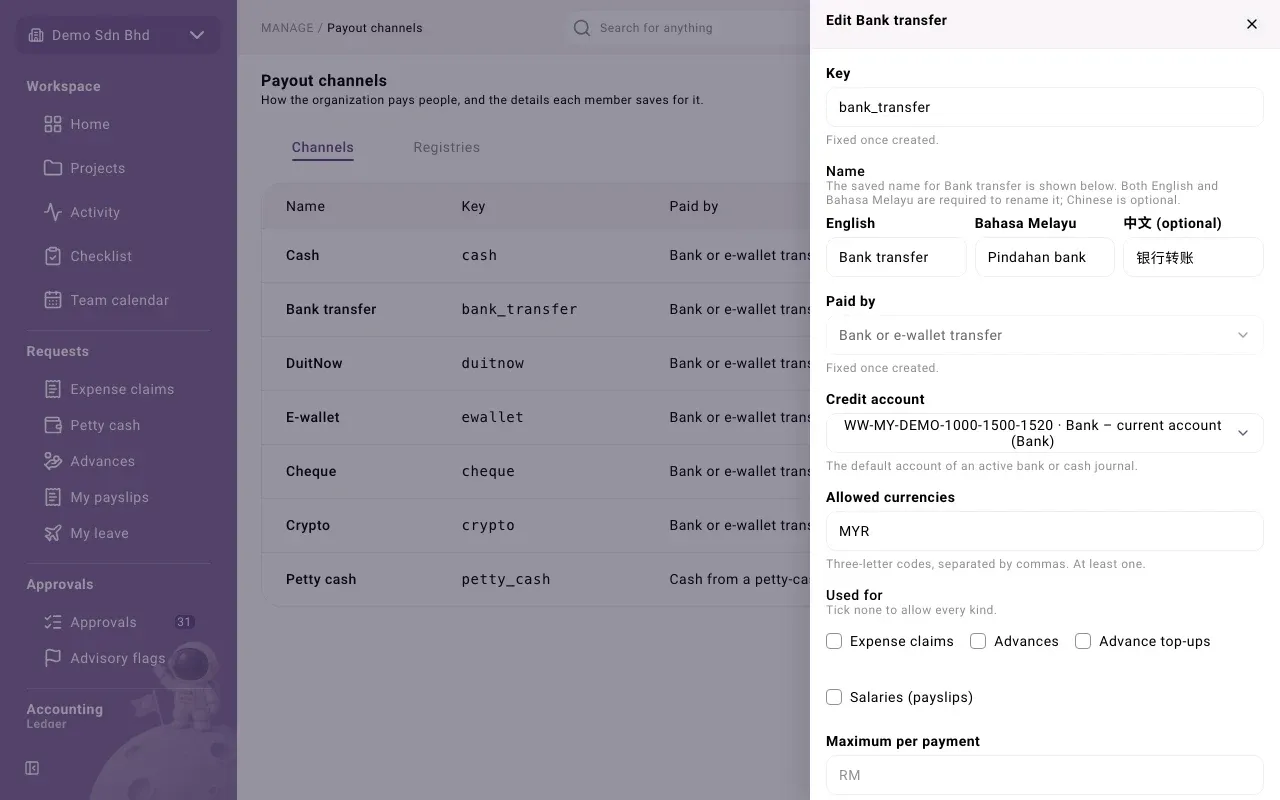
| Field | What to enter |
|---|---|
| Key | Lower-case letters, digits and underscores. Fixed once created. |
| Name | English and Bahasa Melayu are required; 中文 (optional) is optional |
| Paid by | How the money goes out. Fixed once created. |
| Credit account | The account the payment comes out of: the default account of an active bank or cash journal |
| Allowed currencies | Three-letter codes separated by commas, for example MYR. At least one. |
| Used for | Tick Expense claims, Advances, Advance top-ups and/or Salaries (payslips). Tick none to allow every kind. |
| Maximum per payment | A cap on one payment. Empty means no cap. Only for a channel with one currency. |
| Require proof of payment when paying | Whoever pays must attach proof |
| Sort order | Where it appears in the list members see |
| Active | Untick to retire the channel so it is no longer offered |
If Credit account says “No active bank or cash journal has a default account yet”, set one up in the ledger first, or ask your accountant.
Details members fill in
Section titled “Details members fill in”Under Details members fill in, list what a member must save for this channel. Select Add field for each one and choose its Type:
| Type | Use for |
|---|---|
| Text | Free text, such as the account holder’s name |
| Choice list | A fixed list of Choices you type in |
| Choice from a registry | A list kept on the Registries tab, such as banks |
| Phone number | A phone number, for example for DuitNow |
| Account number | A bank account number. It is always masked when shown. |
| File | An uploaded document |
| Address | A postal address |
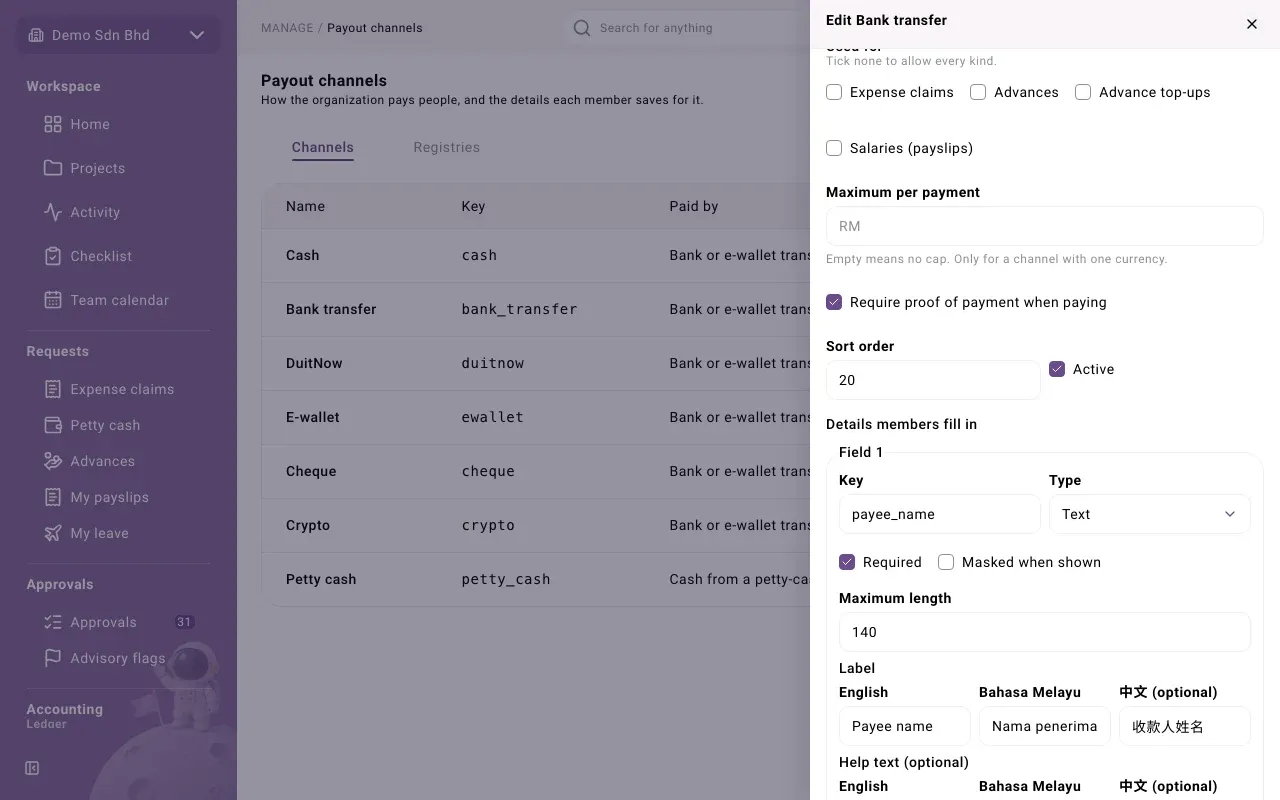
For each field, set its Key, Label, optional Help text (optional), whether it is Required, whether it is Masked when shown, and a Maximum length. Reorder fields with the arrows. With no fields, members are not asked for anything.
The Preview at the bottom shows what a member sees when saving their details for this channel, in your language.
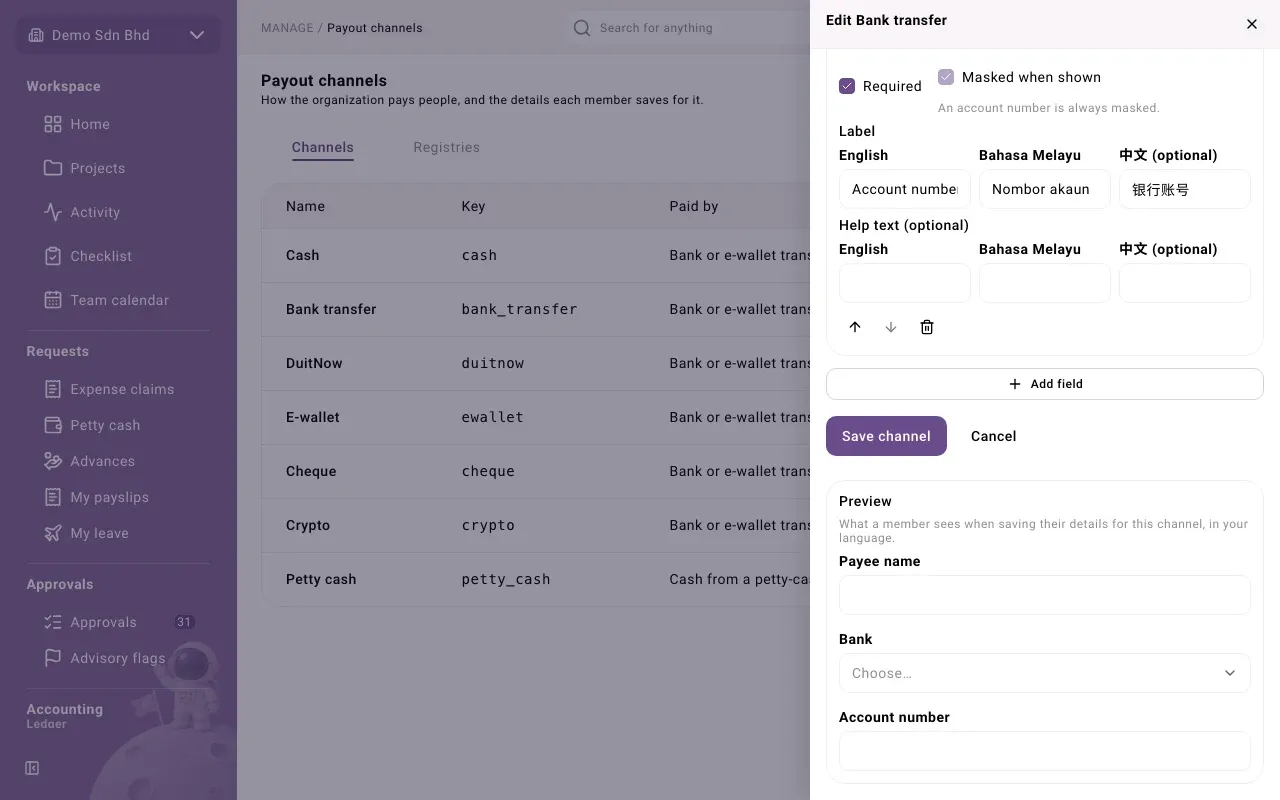
Select Save channel. You will see “Channel saved”.
Registries
Section titled “Registries”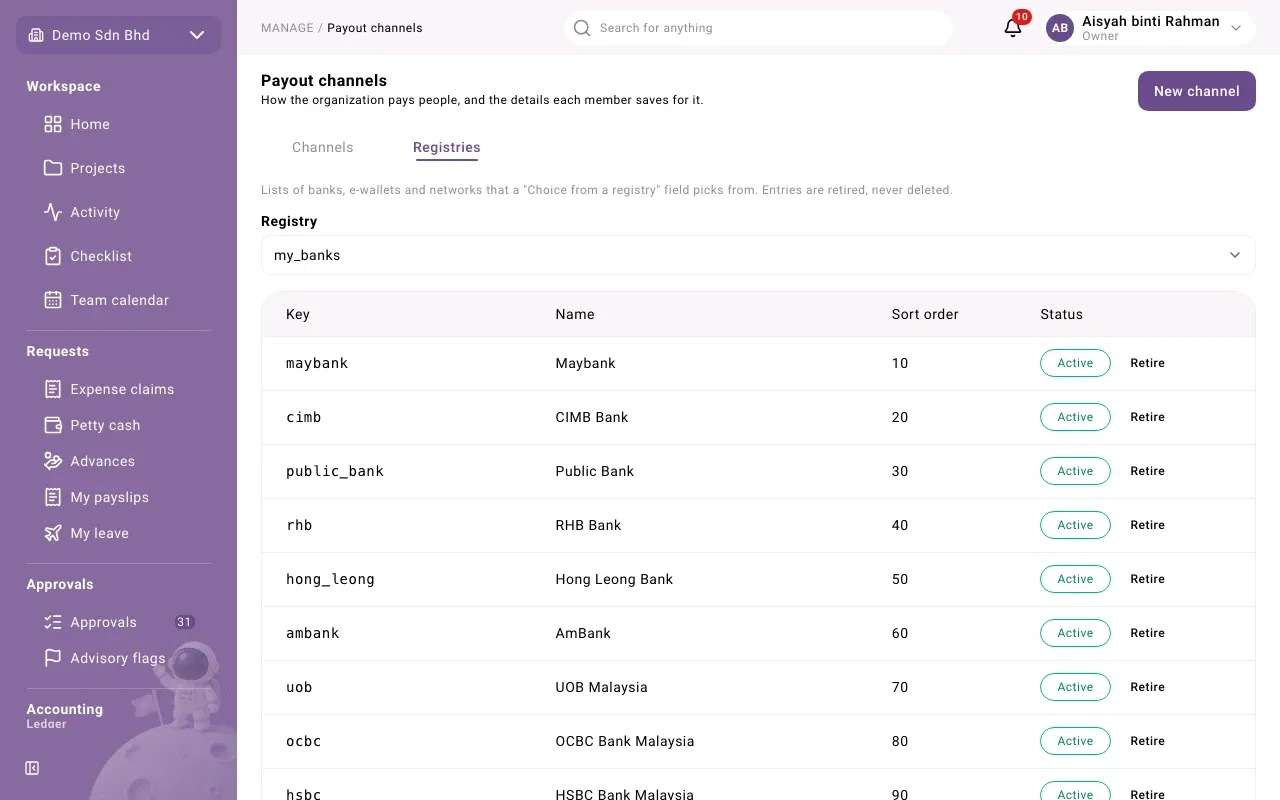
A registry is a list, such as banks, e-wallets or networks, that a Choice from a registry field picks from.
- Select the Registries tab and choose a Registry, or enter a new key under or a new registry key.
- Enter the entry’s Key, its names in English and Bahasa Melayu (and Chinese if you like), and a Sort order.
- Select Add entry.
Entries are retired, never deleted. Use Retire to stop offering one and Restore to bring it back.