Group consent
Every organization’s books are private to it. When your company belongs to a group, the organization that runs the group’s consolidation (the group owner) can read your figures only if this organization agrees. That agreement is a consent. You give it here, you can revoke it here, and you can see every read the owner made.
This page is for your organization’s administrators. You find these screens under Manage → Group & consolidation: Group consent, Who read my figures and Inter-company parties.
Give consent
Section titled “Give consent”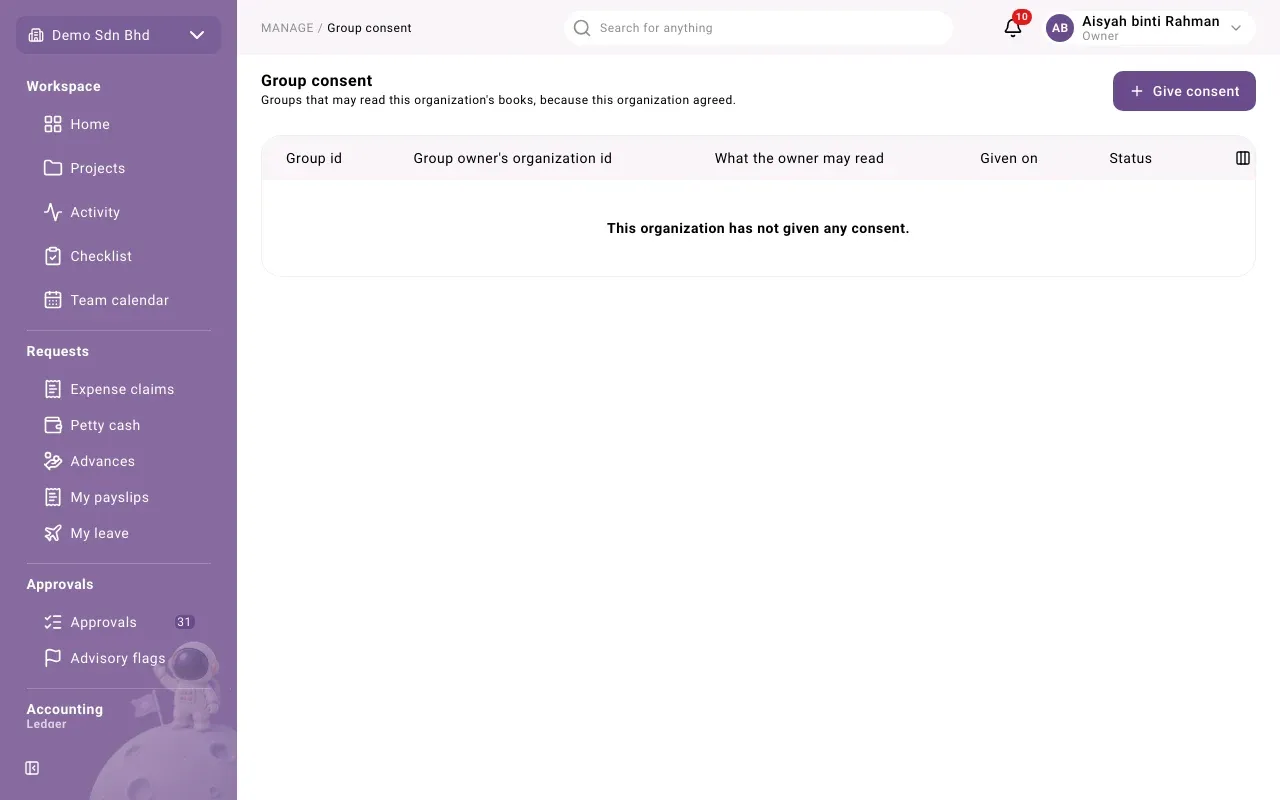
Group consent lists the “Groups that may read this organization’s books, because this organization agreed.” Each row shows the Group id, the Group owner’s organization id, What the owner may read, the date it was Given on, and its Status: Active or Revoked.
-
Ask the group owner for two things: the group id and their organization id. They are long codes such as
3f2a…; copy and paste them. -
Select Give consent.
-
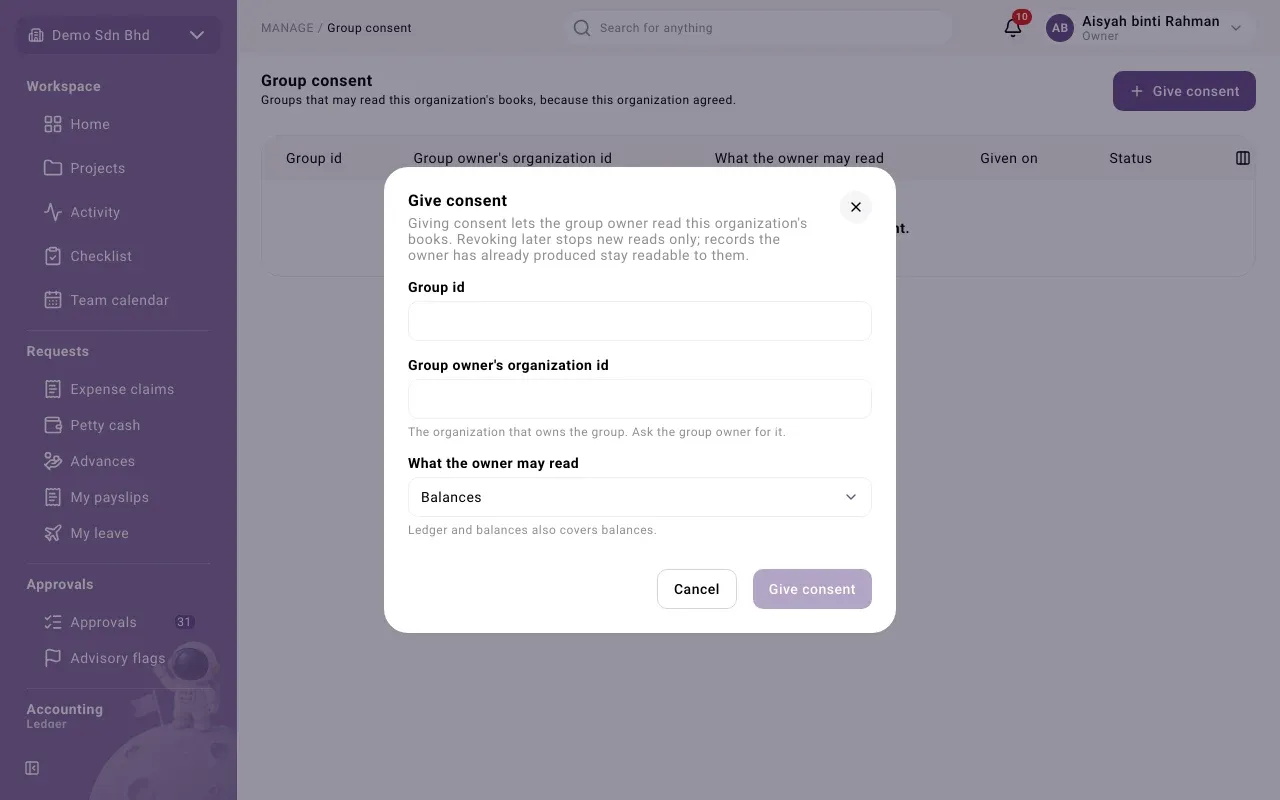
Fill in:
Field What to enter Group id The group id the owner gave you Group owner’s organization id “The organization that owns the group. Ask the group owner for it.” What the owner may read Balances, or Ledger and balances. “Ledger and balances also covers balances.” -
Select Give consent. You will see “Consent given.”
If you see “That organization does not own that group, or the group does not exist.”, one of the two ids is wrong. Check them with the group owner. A consent can only name the organization that really owns that group.
Revoke consent
Section titled “Revoke consent”Select Revoke on an active row and confirm.
Who read my figures
Section titled “Who read my figures”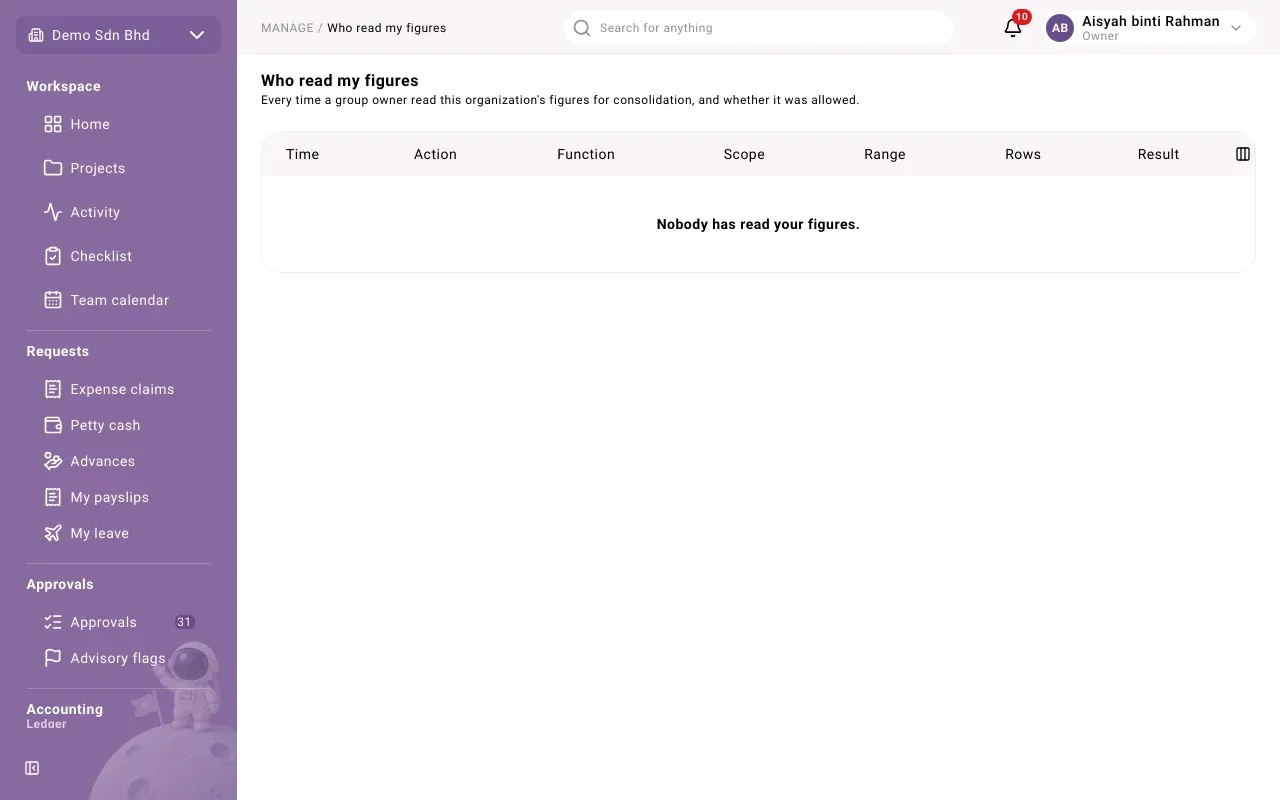
This screen lists “Every time a group owner read this organization’s figures for consolidation, and whether it was allowed.” Each row shows:
| Column | What it means |
|---|---|
| Time | When the read happened |
| Action | Read allowed, Read refused or Member read |
| Function | The kind of read the system made |
| Scope | Ledger or Balances |
| Range | The dates read |
| Rows | How many rows were returned |
| Result | Allowed or Refused |
A refused read means the owner tried to read without a consent that covered it. Nothing was returned to them. If you did not expect reads from a group, check Group consent and revoke what you do not recognise.
If the list says Nobody has read your figures., no group owner has read this organization yet.
Inter-company parties
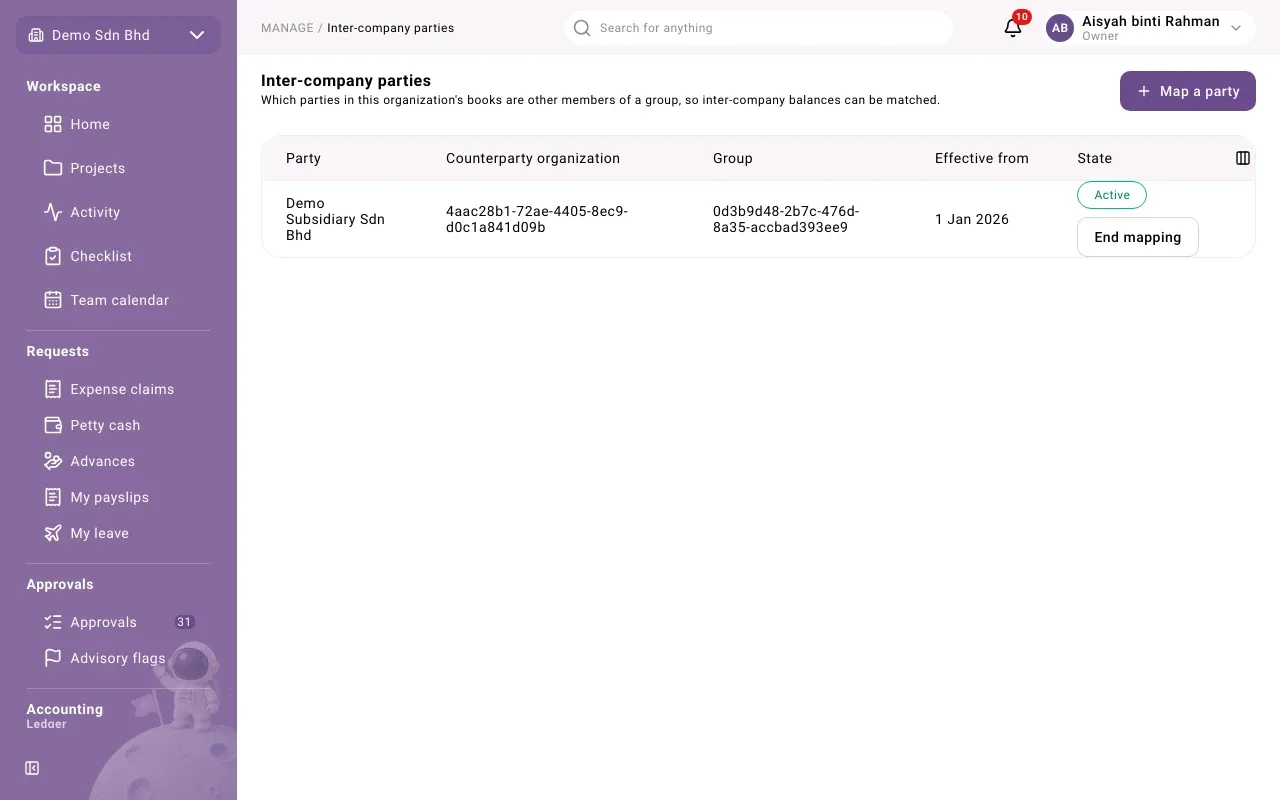
Section titled “Inter-company parties”To eliminate what group companies owe each other, each member says which of its customers and suppliers are other group companies. This needs access to inter-company parties, which your administrator gives. Open Manage → Group & consolidation → Inter-company parties: “Which parties in this organization’s books are other members of a group, so inter-company balances can be matched.”
- Select Map a party.
- Enter the Party id (“The party’s id from your suppliers or customers.”), the Counterparty organization id (the group company on the other side), the Group id and Effective from.
- Select Add. You will see “Party mapped.”
End mapping stops a mapping: “Inter-company matching stops using it from today. Past runs are unchanged.”
If a run says customers or suppliers with balances are not mapped as group counterparties, check whether any of them is a group company and map it here.
What the owner sees
Section titled “What the owner sees”With consent, the owner’s consolidation reads your account codes, their types and their balances for the dates of a run; it does not read your account names. Consolidation never writes to your books: its adjustments are kept in the owner’s own consolidation records, not in your ledger.