Paying claims
Payment is recorded in mcomtask; the money itself moves through your normal bank or cash process.
-
Open a claim at Category verified.
-
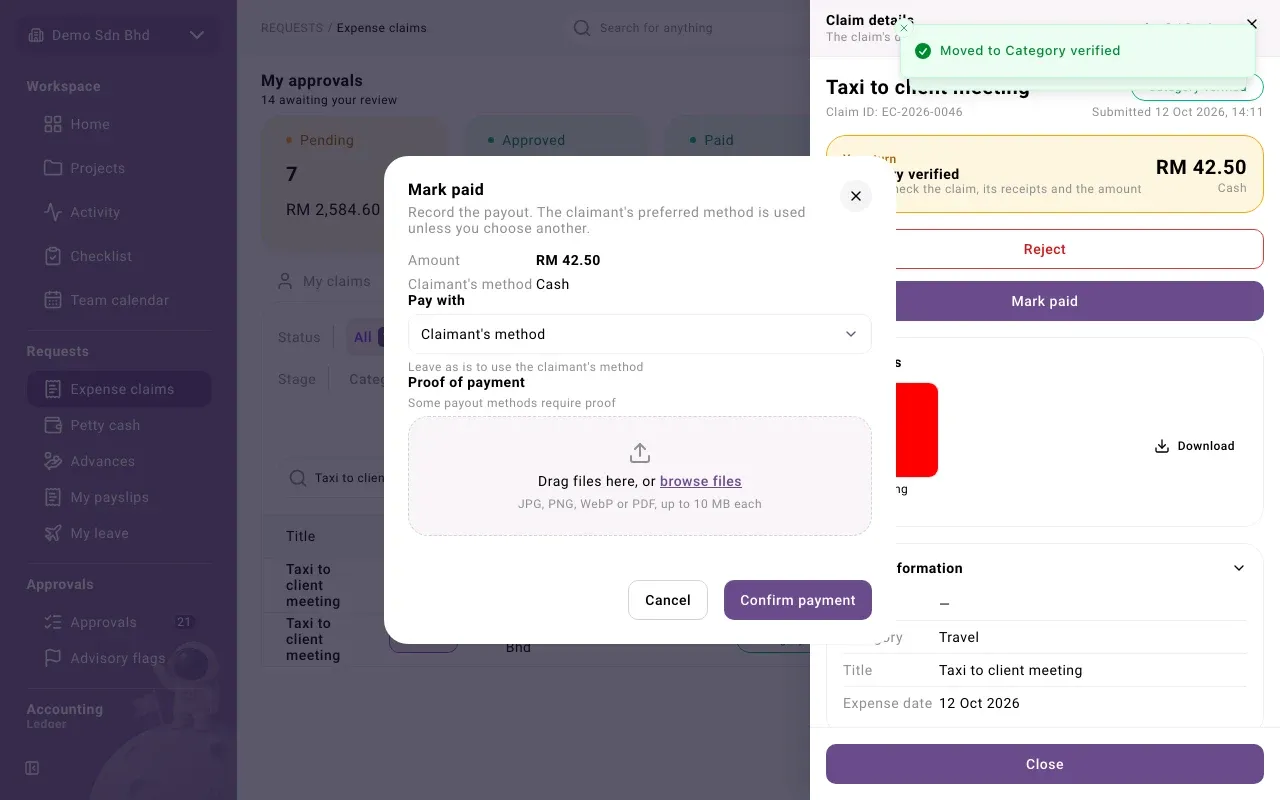
Select Mark paid.
-
In the payment dialog:
- Amount is the amount being paid.
- Claimant’s method is used unless you choose another under Pay with.
- Attach Proof of payment if the method requires it (JPG, PNG, WebP or PDF).
-
Select Confirm payment.
The claim moves to Paid, and the claimant is asked to Confirm receipt. The payout appears under Payouts with who recorded it and when.
If the claimant raises a dispute, you can dismiss it or uphold it; upholding requires a reason.