Fiscal periods
Your books are divided into fiscal years of twelve monthly periods. Closing a period makes its numbers final: anything dated in a closed period is refused. Closing the year moves its result to retained earnings and locks every period. Everyone with access to the accounting books can see this page; opening years and closing or reopening periods is for people your administrator has allowed to close periods.
Open Fiscal periods under Accounting in the sidebar.
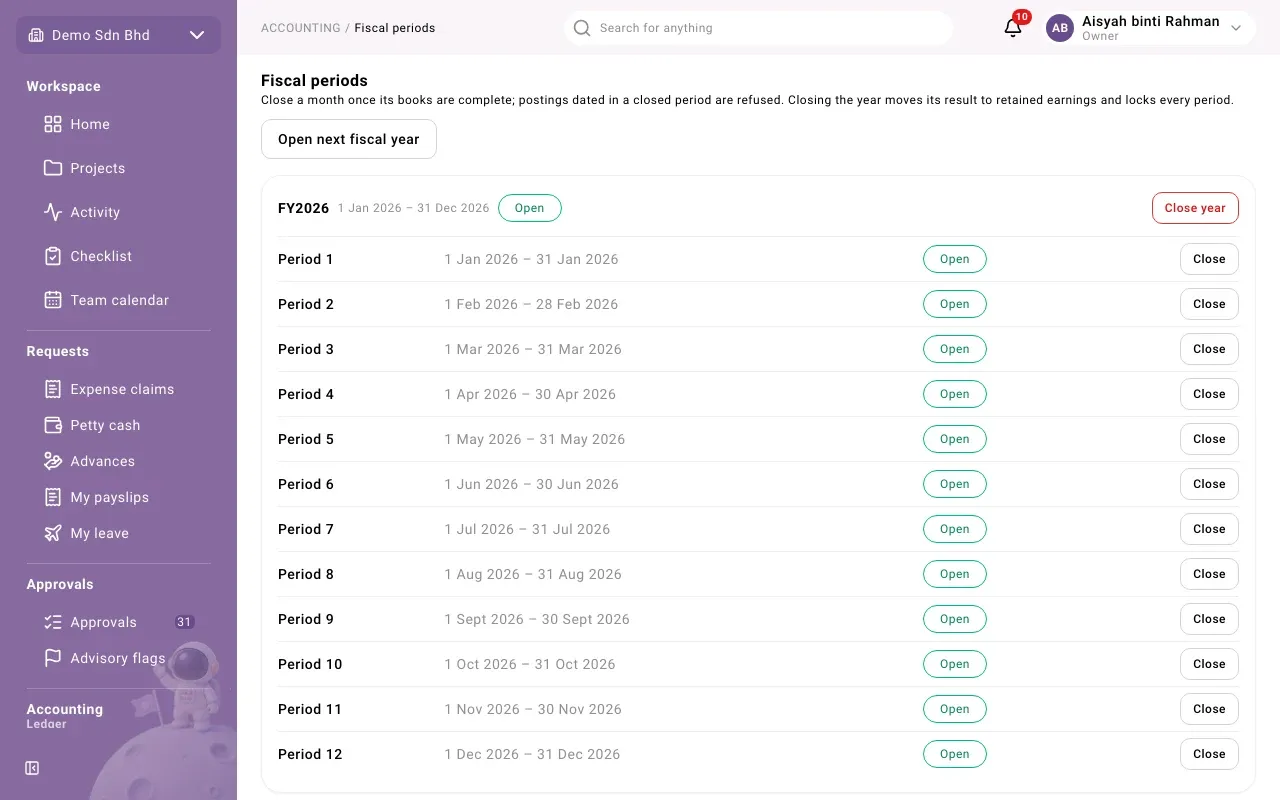
Each year is a card, newest first, showing its dates and whether the year is Open or Closed (with when and by whom). Below it are its periods:
| Status | Meaning |
|---|---|
| Open | Entries dated in this period are accepted. |
| Closed | Entries dated in it are refused. It can still be reopened while the year is open. |
| Locked | The year has been closed. The period can never be reopened. |
Close a period
Section titled “Close a period”Close a month once its books are complete.
- Select Close on the period’s row.
- The dialog runs the reconciliation checks straight away (“Running the reconciliation checks…”) and lists each one as Passed or Failed.
- If every check passed, select Close now. You will see “Period closed”.
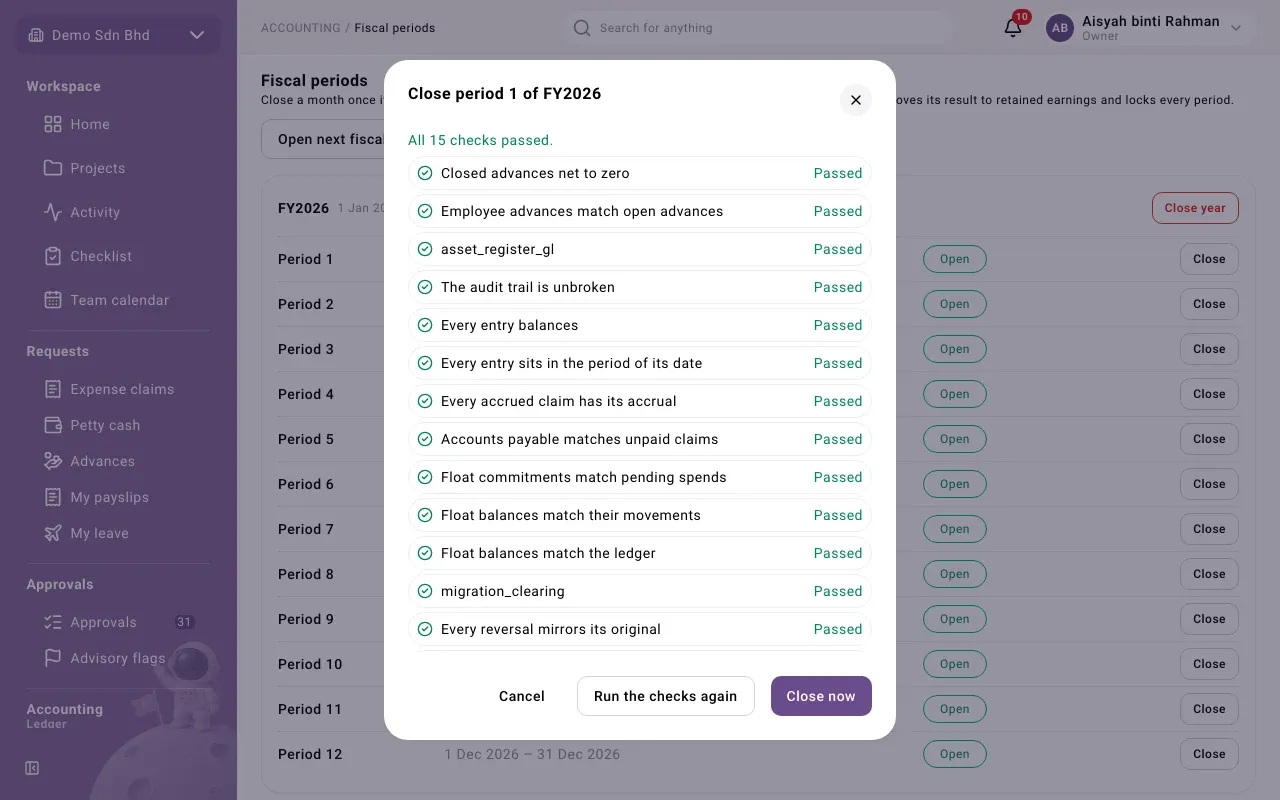
The checks include:
- The trial balance balances
- Every entry balances
- Every entry sits in the period of its date
- Every reversal mirrors its original
- The audit trail is unbroken
- Float balances match their movements, pending spends and the ledger
- Every accrued claim has its accrual, and accounts payable matches unpaid claims
- Employee advances match open advances, and closed advances net to zero
A few checks may be listed under a technical name, such as asset_register_gl or
migration_clearing. They pass or fail like the others.
If any check fails, Close now stays disabled and the dialog says how many failed. Open a failed check’s findings to see what it found, fix it, then select Run the checks again.
Bank accounts not reconciled
Section titled “Bank accounts not reconciled”The close is also refused if a bank account is not reconciled and locked through the end of the period. The dialog then lists Bank accounts not reconciled through the end of what you are closing, each with the date it is locked through, or “never locked”. Reconcile and lock those accounts in Banking, then close again.
If your organization must close before that is done, someone with the extra permission to do so (by default, only the owner) sees Why close before these accounts are reconciled?. They enter a reason and select Close anyway. The reason and the accounts are recorded in the audit log.
Reopen a period
Section titled “Reopen a period”While the year is still open, a closed period shows Reopen. Select it, enter a Reason and select Confirm. You will see “Period reopened”. The reason is kept on the record.
Close the year
Section titled “Close the year”- Make sure every period of the year is complete.
- Select Close year on the year’s card.
- The same reconciliation checks run. If all passed, select Close now.
You will see “Year closed” and “Closing entry posted”. The closing entry appears in Journal entries with the kind Year-end close.
Open the next fiscal year
Section titled “Open the next fiscal year”- Select Open next fiscal year.
- Starts on is filled in with the day after the latest year ends. Change it only if you need to.
- Select Open year. Twelve monthly periods are created, and you will see “… opened”.
If the page says No fiscal years yet, Starts on is empty: choose the first day of your first financial year.