Archive
The Archive keeps the documents your organization settled in its previous system before it started using mcomtask. As the page says: “Documents settled in your previous system before go-live, kept read-only under their original numbers. They are not in the books or any report.”
Use it when a customer or supplier asks about an old invoice or payment. You can open the Archive if you may read sales invoices, purchase invoices, or both. It is under Reports in the accounting part of the menu.
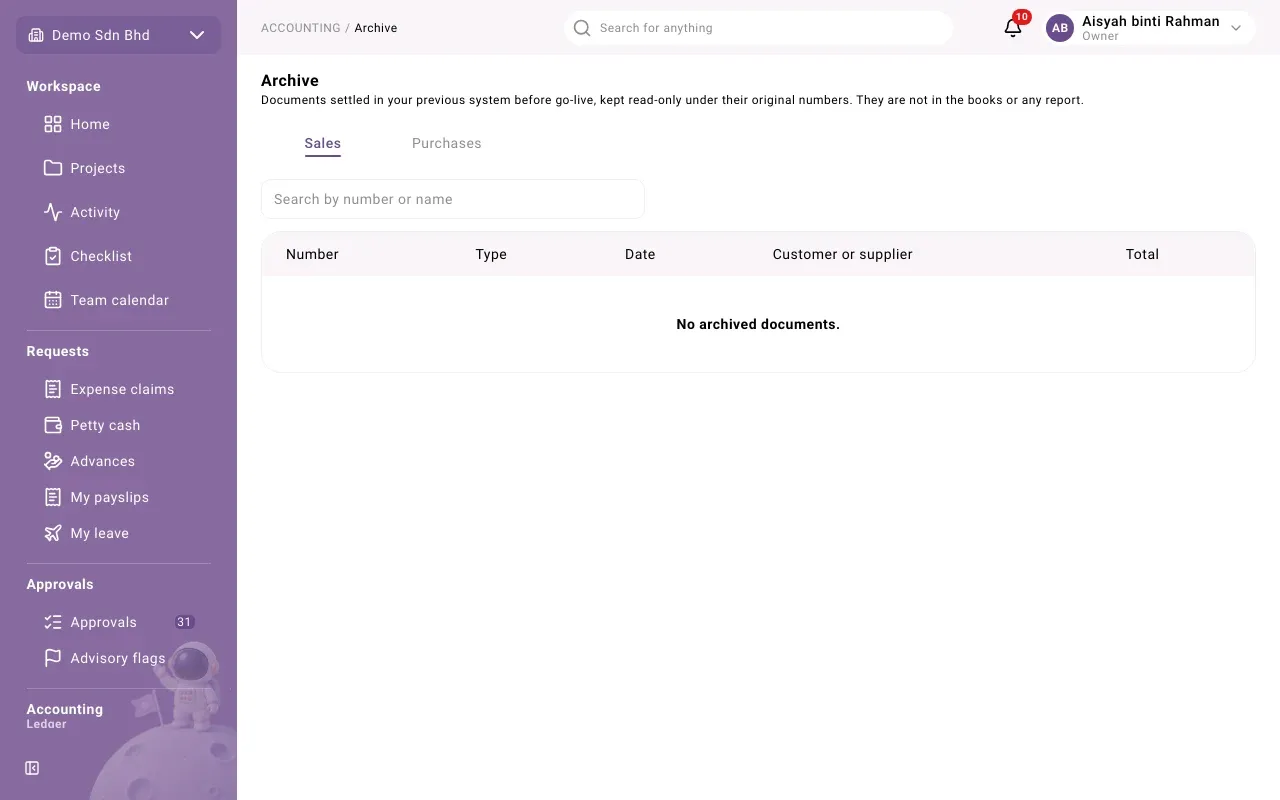
Find a document
Section titled “Find a document”- Open Archive.
- If you can read both sides, choose the Sales or Purchases tab. You only see the side you have access to.
- Type in Search by number or name: the document’s old number, or the customer’s or supplier’s name.
The list shows Number, Type, Date, Customer or supplier and Total. The types are Invoice, Credit note, Debit note, Receipt (sales) and Payment (purchases). Select Load more at the bottom to see older rows.
If the list says No archived documents., nothing was brought over from your previous system for that side, or nothing matches your search.
Open a document
Section titled “Open a document”Select a row to open it. You see:
- its Date, Customer or supplier and Total
- the e-Invoice UUID, if the old system recorded one
- Lines, with Description, Quantity, Unit price and Amount. If the file that was imported had no lines for it, you see “The file gave no lines for this document.”
- Scans: copies of the original paper or PDF, if any were attached. Select one to view it.
People who may run imports can also upload a scan here, for example after finding the paper copy of an old invoice.
Archived documents on a customer or supplier
Section titled “Archived documents on a customer or supplier”When a customer or supplier has archived documents, its record also shows an Archived documents section with the same list, limited to that customer or supplier.
Good to know
Section titled “Good to know”- Archived documents never change and cannot be edited, paid or credited. They are a record only.
- They are not in the ledger, so they do not appear in the financial reports, in aging, or in any balance. Amounts still owed at go-live were brought over separately as opening balances.
- They keep their original numbers, so they never clash with documents numbered in mcomtask.