Financial reports
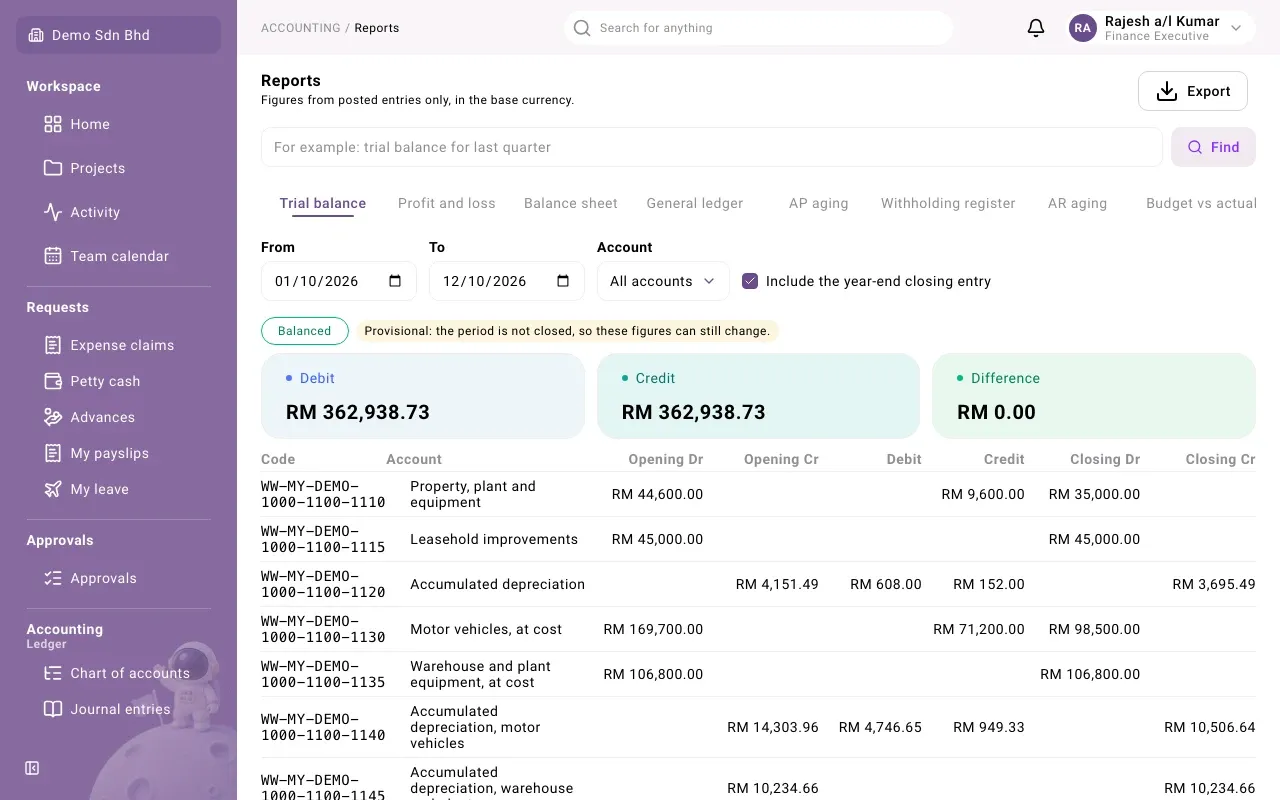
The Reports page shows your organization’s figures straight from the ledger: trial balance, profit and loss, balance sheet and more. It is for people your administrator has given access to reports, usually finance staff and managers. You find it under Reports in the accounting part of the menu.
The page says it plainly at the top: “Figures from posted entries only, in the base currency.” Drafts, unposted documents and anything not yet in the ledger do not appear.
Choose a report
Section titled “Choose a report”Each report is a tab across the top of the page:
| Tab | What it shows |
|---|---|
| Trial balance | Every account’s opening, movement and closing debits and credits for a period |
| Profit and loss | Income and expenses for a period, and the net profit |
| Balance sheet | Assets, liabilities and equity on one date |
| General ledger | Every posted line on each account, with a running balance |
| AP aging | What you owe suppliers, by how overdue it is |
| Withholding register | Withholding tax deducted from supplier payments |
| AR aging | What customers owe you, by how overdue it is |
| Budget vs actual | A budget compared with what was actually posted |
| Invoice analysis | Sales invoiced and collected, by month. Only shown if you may read the sales analysis. |
See Reading each report for what each one contains.
Set the period and filters
Section titled “Set the period and filters”The filters change with the report:
| Report | Filters |
|---|---|
| Trial balance | From, To, Account, and Include the year-end closing entry |
| Profit and loss, Withholding register | From and To |
| General ledger | From, To and Account |
| Balance sheet | As of |
| AP aging, AR aging | As of, Supplier or Customer, Outstanding from and Outstanding up to |
| Budget vs actual | Budget, Version, From period and To period |
| Invoice analysis | Year and Month |
The report refreshes as soon as you change a filter. Account narrows the report to one account and its sub-accounts; the report then says “Filtered to one account and its sub-accounts.” Leave it on All accounts to see everything.
On the aging reports, the amount filters take effect when you leave the field or press Enter. Enter amounts like 1250.00. If the minimum is above the maximum you see “The minimum is above the maximum”.
The page address keeps your choices, so you can bookmark a report or send the link to a colleague who also has access.
Find a report by typing
Section titled “Find a report by typing”Above the tabs is a search box, Find a report. Type what you want in plain words, for example “trial balance for last quarter”, and select Find.
It does not answer the question itself. It shows a Report preview: the report it picked and the period, with a note on anything it assumed, such as “No year was given, so I assumed the current one.” Select Open this report to open it with those filters, or Cancel.
If it cannot tell what you mean, it asks, for example “Which period do you mean? For example last month, Q3 or this fiscal year.” Rephrase and try again.
Provisional figures and balance checks
Section titled “Provisional figures and balance checks”- Provisional: the period is not closed, so these figures can still change. You see this while any part of the range is in an open accounting period, where entries can still be posted.
- Balanced or Not balanced appears on the trial balance and balance sheet. If a trial balance is not balanced, its Difference is not zero; tell your finance lead.
Export a report
Section titled “Export a report”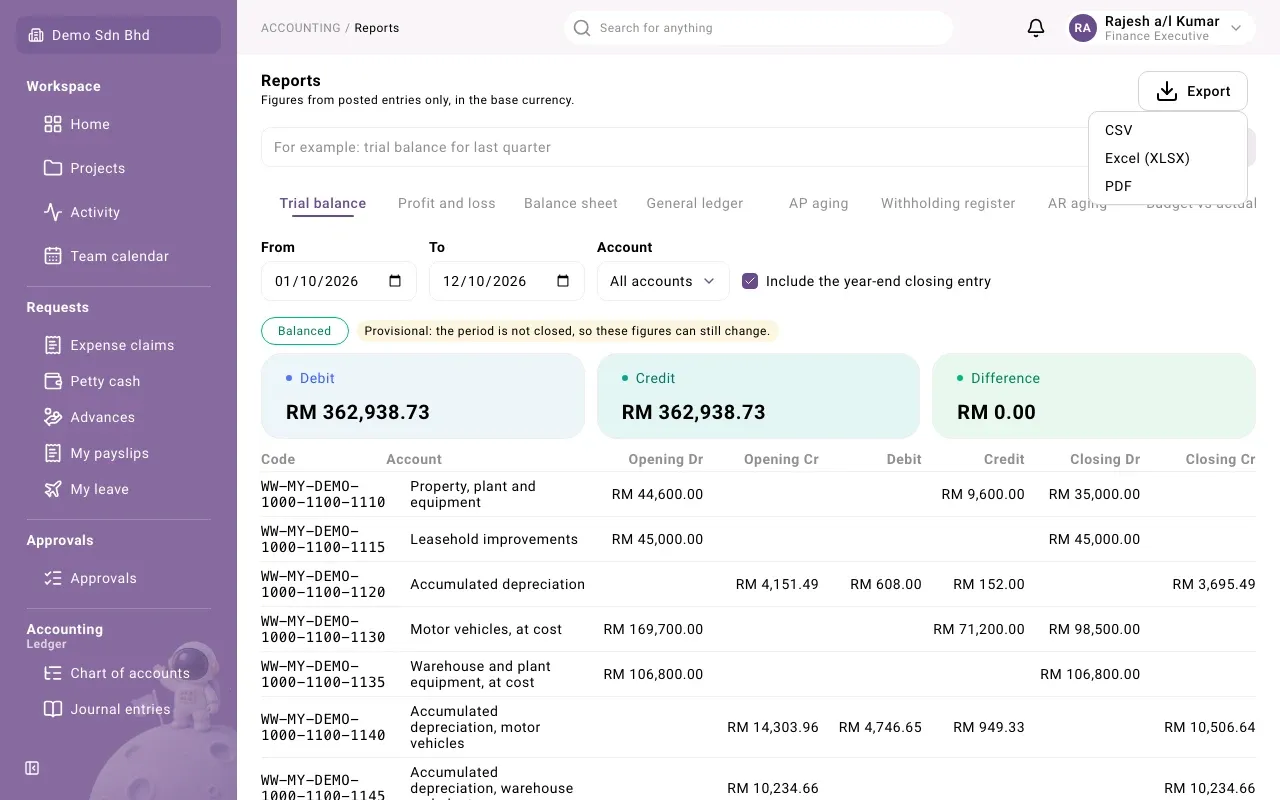
If you are allowed to export, an Export button sits at the top right.
- Set the report and filters you want.
- Select Export, then CSV, Excel (XLSX) or PDF.
- Wait while it says “Requesting the export…” and “Preparing the file…”. The download starts by itself.
The file holds exactly the report and filters you were looking at.
Below the report, Recent exports lists the files requested, with Report, Format, Requested, By and Status: Preparing, Ready or Failed. Select Download on a Ready row to get the file again.
Budget vs actual exports only once a budget is chosen. Invoice analysis does not export when All years is selected.
If an export fails
Section titled “If an export fails”| Message | What to do |
|---|---|
| Too many lines for this format. Narrow the range or choose CSV. | Shorten the period, pick one account, or export as CSV |
| The report’s parameters were not accepted. | Check the dates and filters, then try again |
| Something went wrong while rendering the file. | Try again later; if it keeps failing, tell your administrator |
Other report screens
Section titled “Other report screens”- Custom reports let you build and save your own account balance report.
- Spend forecast estimates spending for the coming months.
- Archive holds documents from your previous system, which are not in these reports.