Exchange rates
When something is posted in a foreign currency, mcomtask converts it to your base currency with an exchange rate. This page shows the rates it uses: Bank Negara’s published rates, and any manual rates your organization has entered. Consolidation runs use them too. Everyone with access to the accounting books can view the page; entering a manual rate is for people your administrator has allowed to manage exchange rates.
Open Exchange rates under Accounting in the sidebar.
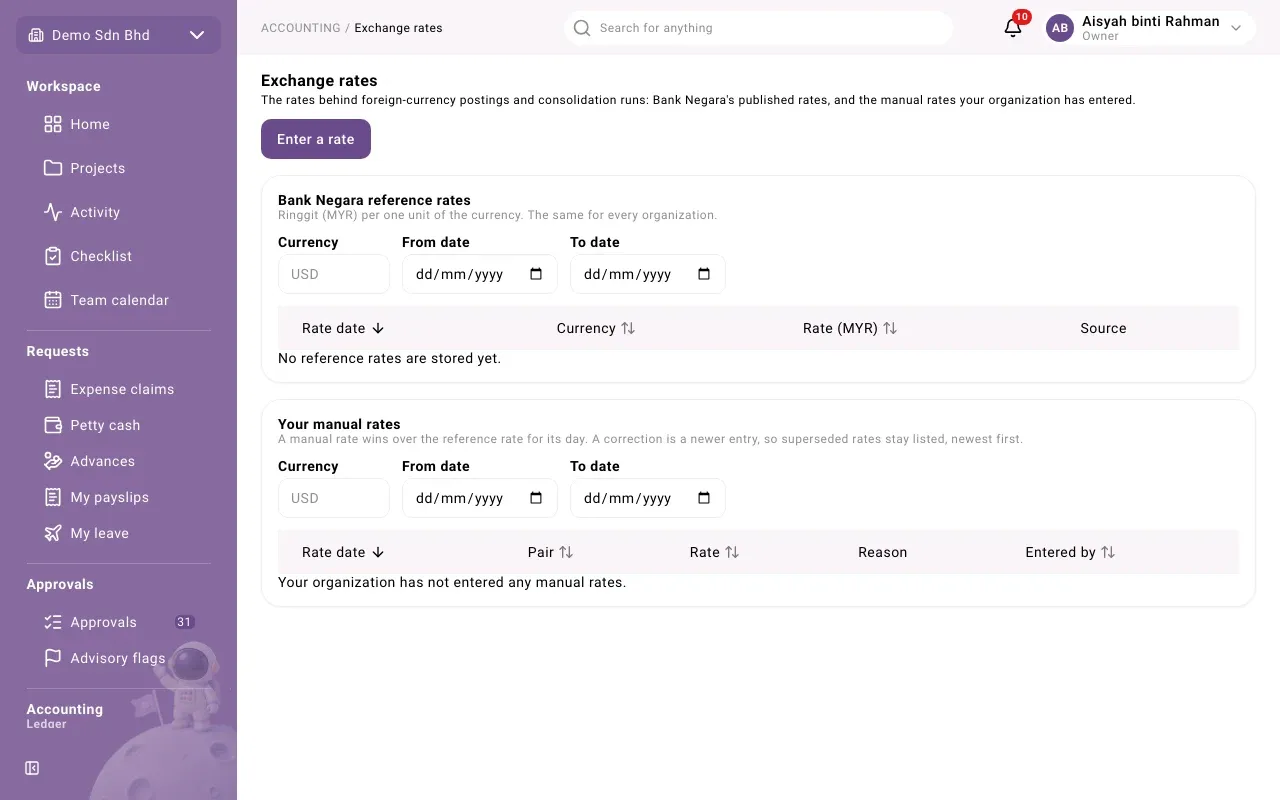
Bank Negara reference rates
Section titled “Bank Negara reference rates”The first table lists Bank Negara reference rates: ringgit (MYR) per one unit of the currency. They are the same for every organization; you cannot change them.
| Column | What it shows |
|---|---|
| Rate date | The day the rate applies to |
| Currency | The foreign currency |
| Rate (MYR) | Ringgit per one unit of that currency |
| Source | Bank Negara |
Your manual rates
Section titled “Your manual rates”The second table, Your manual rates, lists rates your organization entered.
| Column | What it shows |
|---|---|
| Rate date | The day the rate applies to |
| Pair | The From and To currencies |
| Rate | Units of the To currency that one unit of the From currency buys |
| Reason | Why it was entered |
| Entered by | Who entered it |
A manual rate wins over the reference rate for its day. Rates are never edited: a correction is a newer entry for the same day, so superseded rates stay listed, newest first.
Find a rate
Section titled “Find a rate”Each table has its own filters: Currency, From date and To date. Clear filters removes them. Select a column heading to sort by it, and use Previous and Next to page through.
Enter a manual rate
Section titled “Enter a manual rate”Use this when a posting must use a rate other than Bank Negara’s, for example the rate your bank actually gave you.
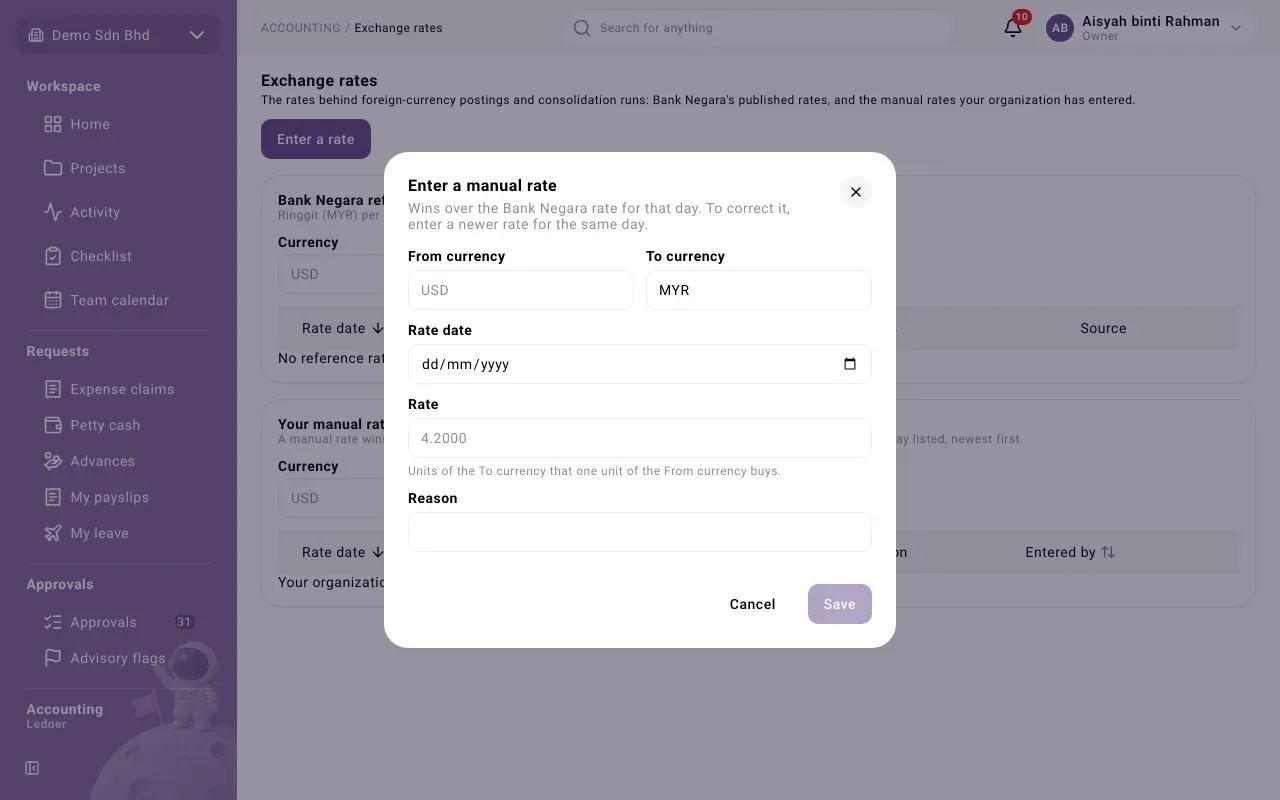
- Select Enter a rate.
- Fill in the form and select Save. You will see “Rate recorded.”
| Field | What to enter |
|---|---|
| From currency | A three-letter code, e.g. USD |
| To currency | A different three-letter code, e.g. MYR |
| Rate date | The day the rate applies to |
| Rate | Units of the To currency that one unit of the From currency buys, e.g. 4.4120 |
| Reason | Why you are entering it |
Save stays disabled until every field is filled and the two currencies differ.
Problems
Section titled “Problems”| You see | What to do |
|---|---|
| “No reference rates are stored yet.” | The Bank Negara rates have not been loaded yet. Ask your administrator. |
| “Your organization has not entered any manual rates.” | Nothing is wrong; postings use the reference rates. |