Operations reports
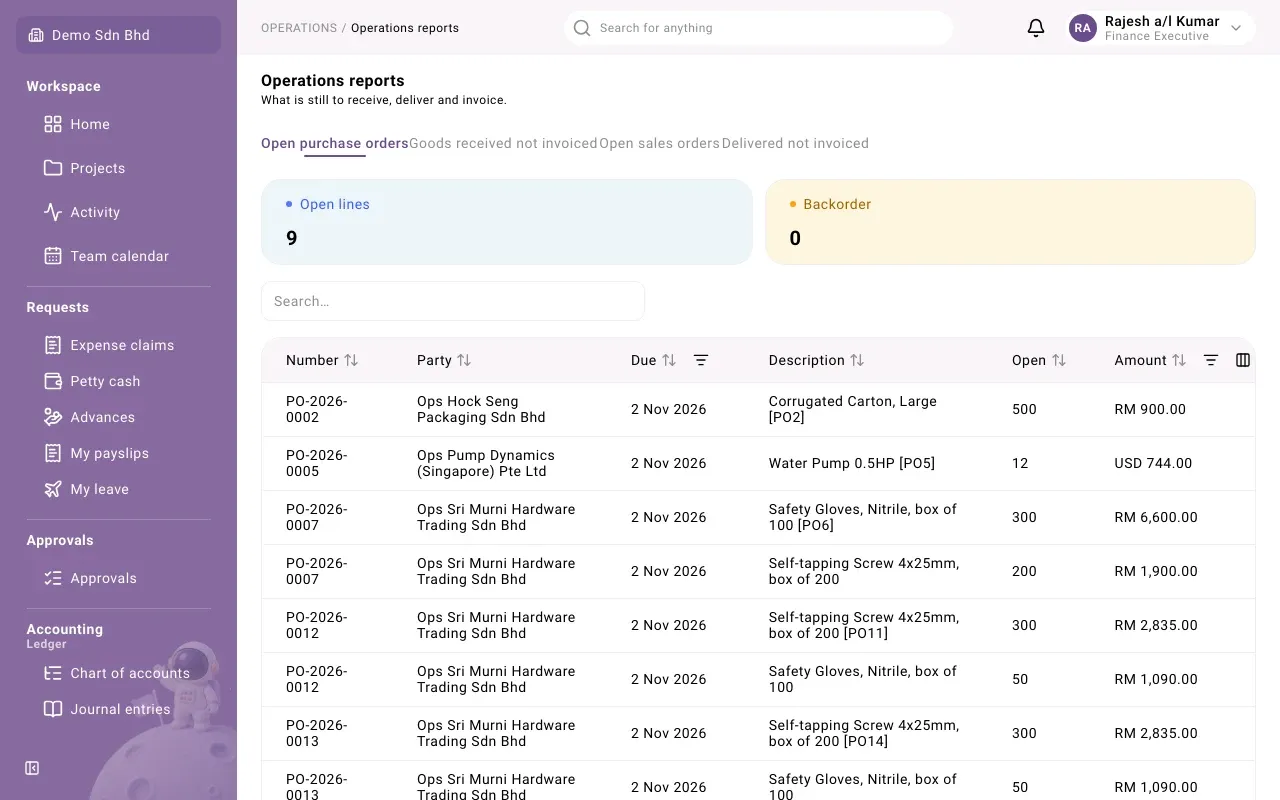
Operations reports show what is still outstanding in the buying and selling chains: goods ordered but not received, received but not invoiced, ordered by customers but not delivered, and delivered but not invoiced. Use them to chase suppliers, plan deliveries and make sure nothing goes unbilled.
Open Operations → Reports → Operations reports. You see a tab for each report your access covers: purchase orders, goods receipts, sales orders or deliveries.
The four reports
Section titled “The four reports”| Tab | One row per | Columns |
|---|---|---|
| Open purchase orders | Purchase order line with something still to receive | Number, Party, Due, Description, Open, Amount |
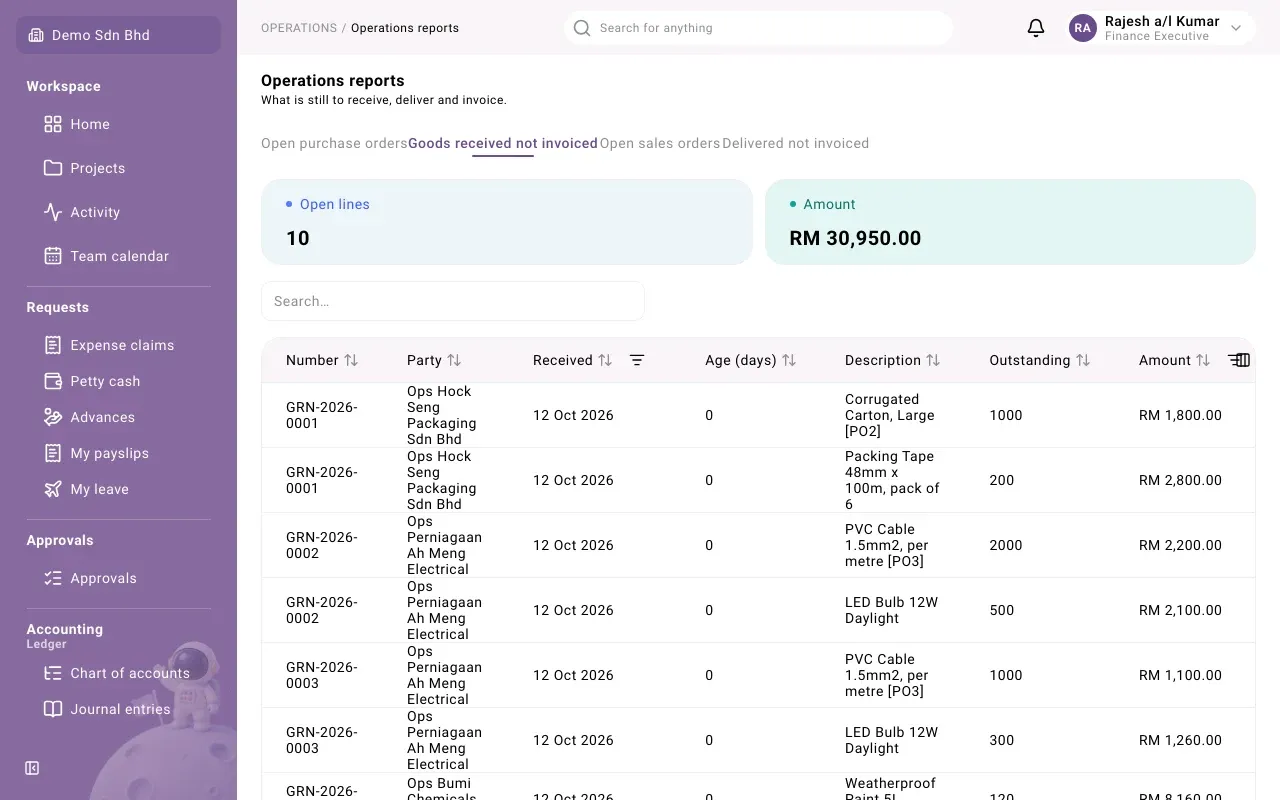
| Goods received not invoiced | Goods receipt line not yet matched by a supplier invoice | Number, Party, Received, Age (days), Description, Outstanding, Amount |
| Open sales orders | Sales order line with something still to deliver | Number, Party, Due, Description, Open, Amount |
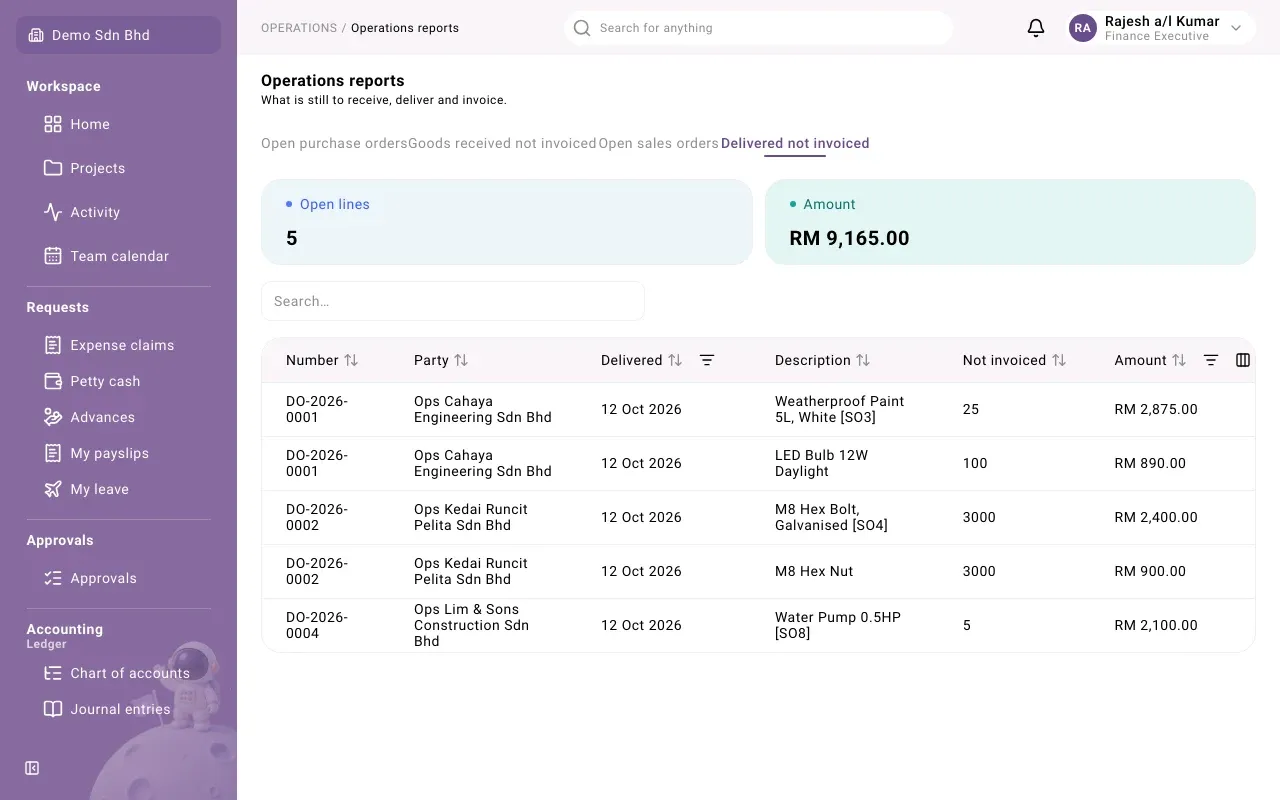
| Delivered not invoiced | Delivery line not yet billed on a sales invoice | Number, Party, Delivered, Description, Not invoiced, Amount |
- On the two open-order reports, a line past its due date shows Backorder next to the date.
- On Goods received not invoiced, Amount is in your base currency. On the other reports it is in the order’s or delivery’s own currency.
The summary
Section titled “The summary”Above the table, Summary shows:
- Open lines: how many rows the report has;
- Amount: their total, shown only when every row is in the same currency (amounts in different currencies are not added together);
- Backorder, on the open-order reports: how many lines are late.
Filter and sort
Section titled “Filter and sort”Sort by any column. Each report has its own filters: Due and Amount on the open-order reports, Received and Amount on goods received not invoiced, Delivered and Amount on delivered not invoiced. The report you chose stays selected when you reload the page.
If a tab says Nothing outstanding., every line in it has been received, delivered or invoiced.
How rows leave a report
Section titled “How rows leave a report”| Report | A row leaves when |
|---|---|
| Open purchase orders | The line is fully received, or the order is closed |
| Goods received not invoiced | The supplier invoice for that receipt line is posted in Payables |
| Open sales orders | The line is fully delivered, or the order is closed |
| Delivered not invoiced | The sales invoice for that delivery line is issued in Receivables |
A partial receipt, delivery or invoice lowers the open quantity and amount but keeps the row.