Find your way around
The sidebar
Section titled “The sidebar”The sidebar on the left groups what you can open. You only see the groups your role allows: Workspace, Requests, Approvals, Accounting, Operations and Manage.
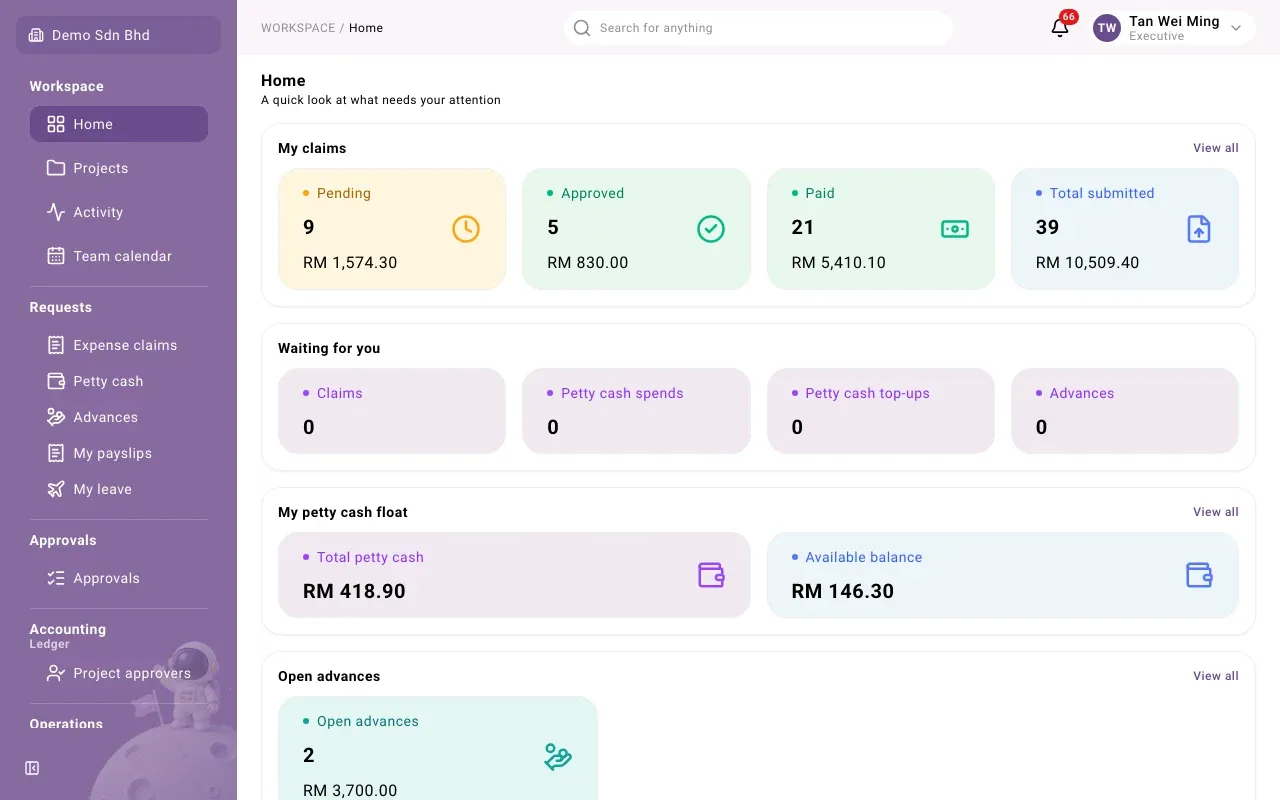
The pages used in this guide:
| Page | Use it to |
|---|---|
| Home | See what needs your attention |
| Expense claims | File claims and follow them |
| Advances | Request cash before you spend it |
| Approvals | Decide everything waiting for you in one list |
| Petty cash | Request cash, record spends, return the float. See Petty cash |
| My payslips, My leave | Payslips and time off. See Leave and payslips |
Select Collapse sidebar to give the page more room.
Search
Section titled “Search”Select Search and type at least 2 characters. Results are grouped into Pages, Expense claims, Petty cash spends, Petty cash requests, Advances and People.
Language and theme
Section titled “Language and theme”Open the Account menu:
- Language: English, Bahasa Malaysia or 中文.
- Theme: Light, Dark or System.
- Sign out.
Switching organization
Section titled “Switching organization”If you belong to more than one organization, use Switch organization in the sidebar.
If a page will not open
Section titled “If a page will not open”- You don’t have access to this page: your role does not include it. Ask your administrator.
- Something went wrong: reload. If it keeps happening, send the Request ID shown on the page to support.