Payroll setup
This page is for payroll administrators. By default only the Owner has payroll access; other people need it granted by an administrator. Payroll may also be switched off for your organization, in which case these pages are not in the sidebar.
Before the first run
Section titled “Before the first run”- Fill in the Settings on Payroll setup (below).
- Create the Pay item types you need, such as a transport allowance.
- Record each employee’s Salary, and any recurring items, on their employee record.
Pay item types
Section titled “Pay item types”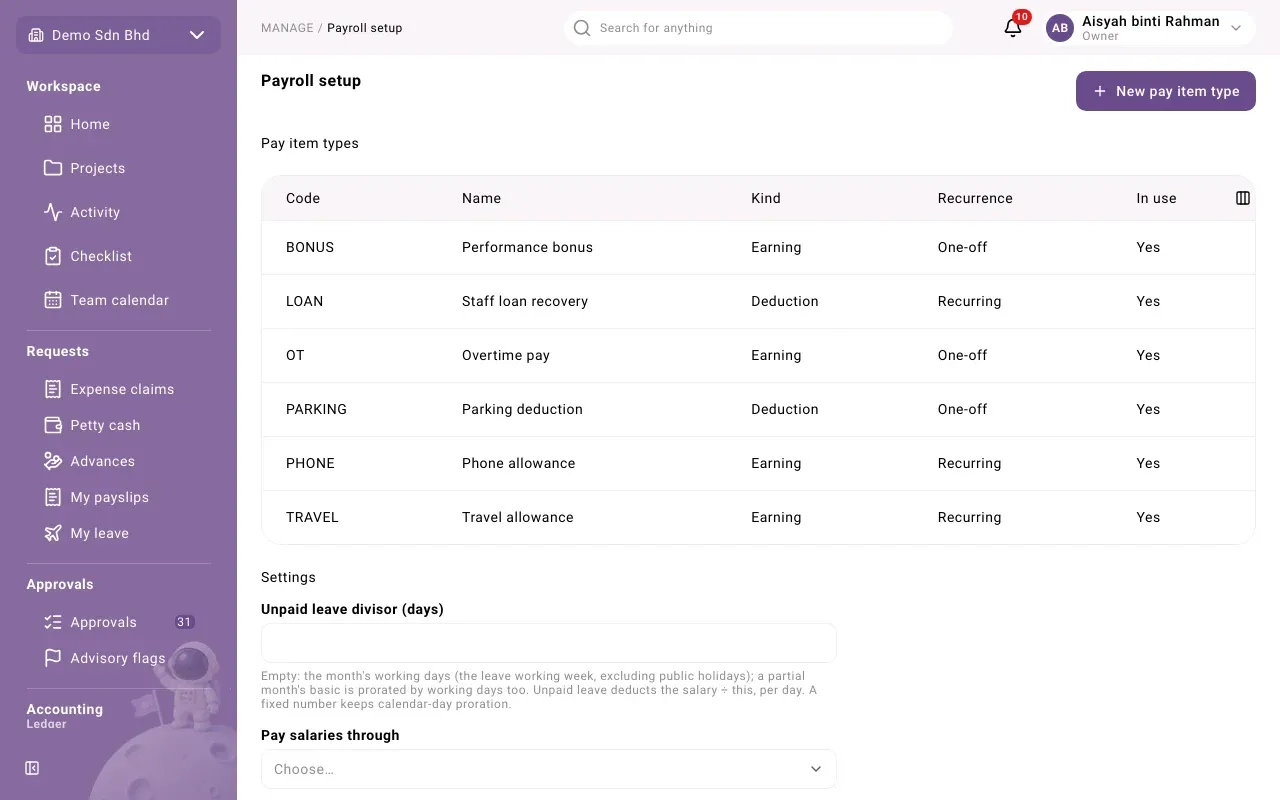
A pay item type is a kind of payment or deduction other than basic salary. The list shows Code, Name, Kind, Recurrence and In use.
-
Select New pay item type, or select a row to edit one.
-
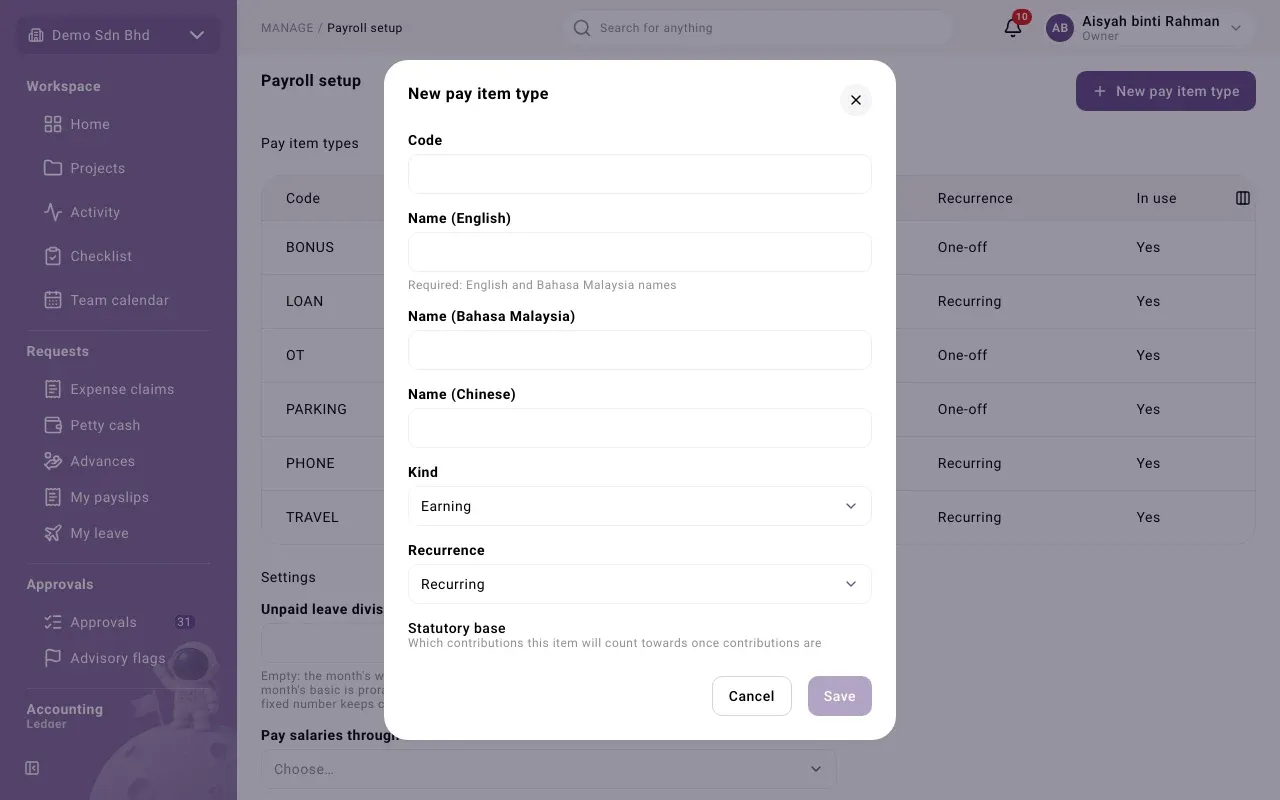
Fill in:
Field What to enter Code 1 to 20 of A–Z, 0–9, _ and -. Fixed once created. Name (English) and Name (Bahasa Malaysia) Both required Name (Chinese) Optional Kind Earning or Deduction. Fixed once created. Recurrence Recurring (paid every month from the employee record) or One-off (entered on a single run). Fixed once created. Statutory base Tick EPF, SOCSO, EIS and PCB as they apply. This records which contributions the item will count towards once contributions are calculated automatically; it calculates nothing today. Ask your adviser which to tick. In use When editing: clear it to stop offering the type -
Select Save.
Settings
Section titled “Settings”| Field | What to enter |
|---|---|
| Unpaid leave divisor (days) | Leave it empty to use the month’s working days (your leave working week, less public holidays); a partial month’s basic is then prorated by working days too. Or enter a fixed number from 1 to 31; a fixed number keeps calendar-day proration. Unpaid leave deducts the salary ÷ this, per day. |
| Pay salaries through | The bank transfer payout channel salaries are paid through |
| Salary expense account | The expense account salaries are charged to |
| Deductions payable account | The liability account deductions are held in until paid over |
Select Save after changing them.
Salary and recurring items on the employee record
Section titled “Salary and recurring items on the employee record”People with payroll access see Salary and Recurring pay items on each employee record (open Employees and select the person).
Salary lists every monthly basic salary as “RM 4,000.00 from 1 Jan 2026”. To record one:
- Enter the Amount and the From date.
- Select Record salary.
A salary is never edited or deleted. To change it, record a new salary from the date it changes; the one in force on any day is the latest on or before it. If the record says “No salary recorded.” the person gets no payslip.
Recurring pay items lists the person’s recurring allowances and deductions with amount and dates. To add one, choose the Type, enter the Amount and select Add item; it starts today. To stop one, select End today. An ended item cannot be ended again.
Problems
Section titled “Problems”- “An amount is in whole sen: at most two decimals.” Enter amounts like 350.00.
- “Salaries are paid through an active bank transfer channel.” Choose a bank transfer channel under Pay salaries through, or ask finance to set one up.
- “Choose an active account of the right type that no module owns.” Pick another account, or ask your accountant which one to use.
- “The divisor is 1 to 31 days, or empty for the month’s working days.”