Petty cash
A float is a small amount of company cash held by one person, the holder. You use it to pay small expenses on the spot, and record each one with its receipt.
If the page says You do not hold a petty cash float, ask finance to open one for you. Only the float’s holder can request cash, record spends or return the float.
The Petty cash page
Section titled “The Petty cash page”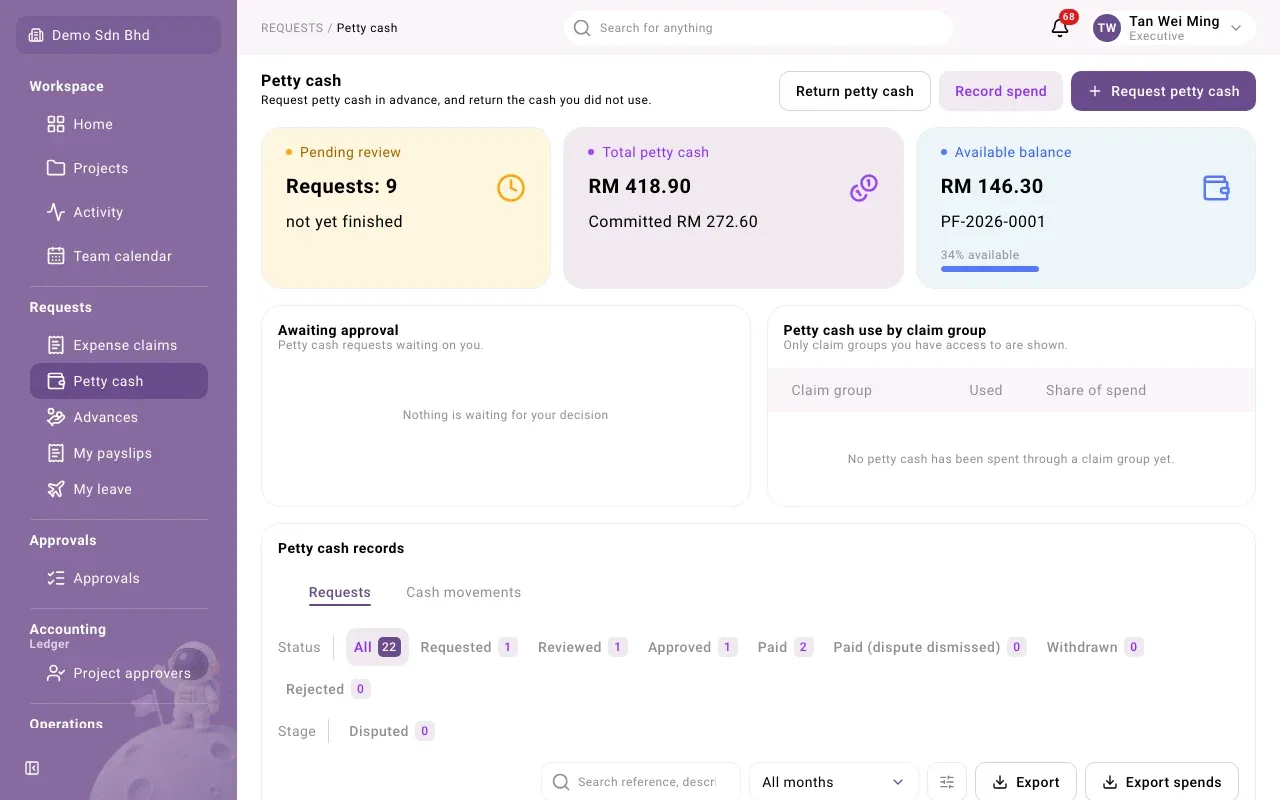
| Card | What it shows |
|---|---|
| Pending review | How many requests are not finished yet |
| Total petty cash | The cash in the float, and how much of it is Committed |
| Available balance | What you can still spend, with your float code |
Below the cards, Petty cash records has two tabs:
- Requests lists your requests and spends. Filter by Status (Requested, Reviewed, Approved, Paid, Withdrawn, Rejected, Disputed), search by reference or description, or pick a month. Export and Export spends download what you are looking at.
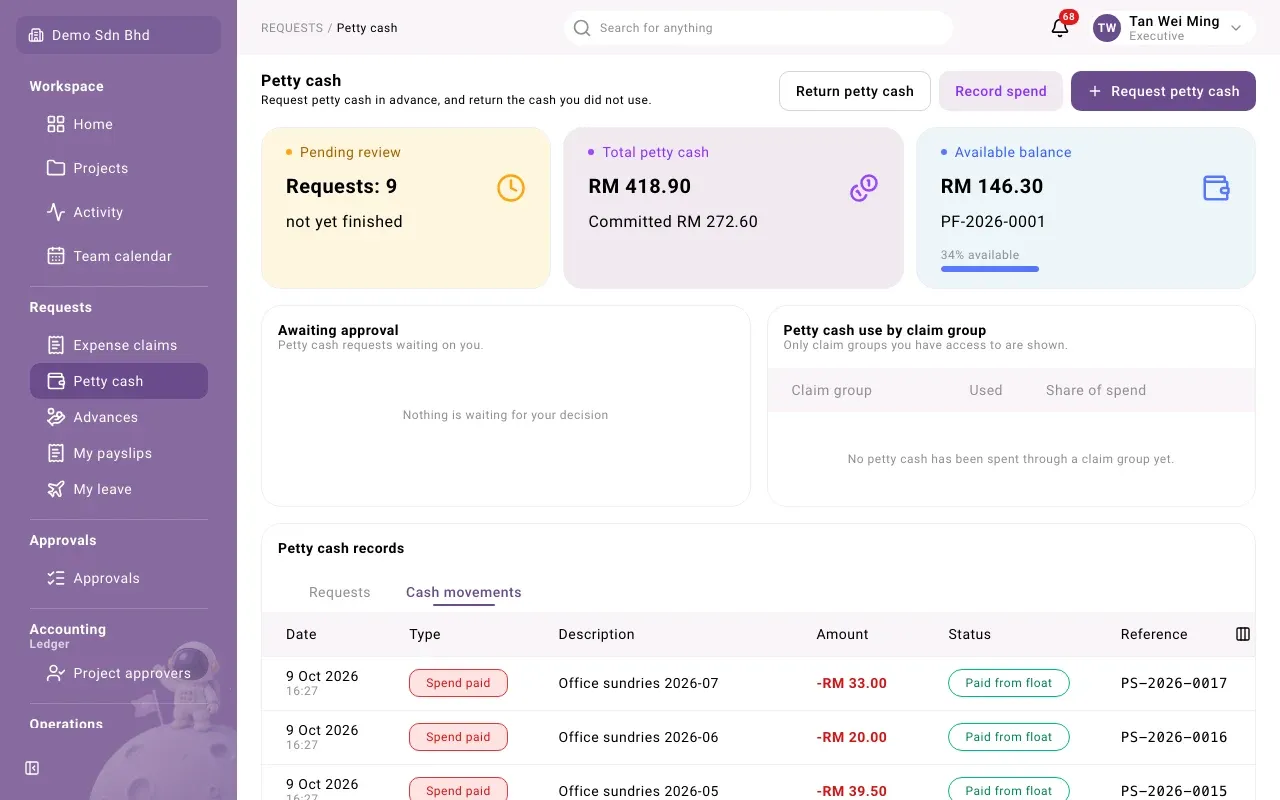
- Cash movements is the float’s ledger: every top-up, spend, claim settlement and return, in and out.
Ask for more cash
Section titled “Ask for more cash”Use this when the float is running low.
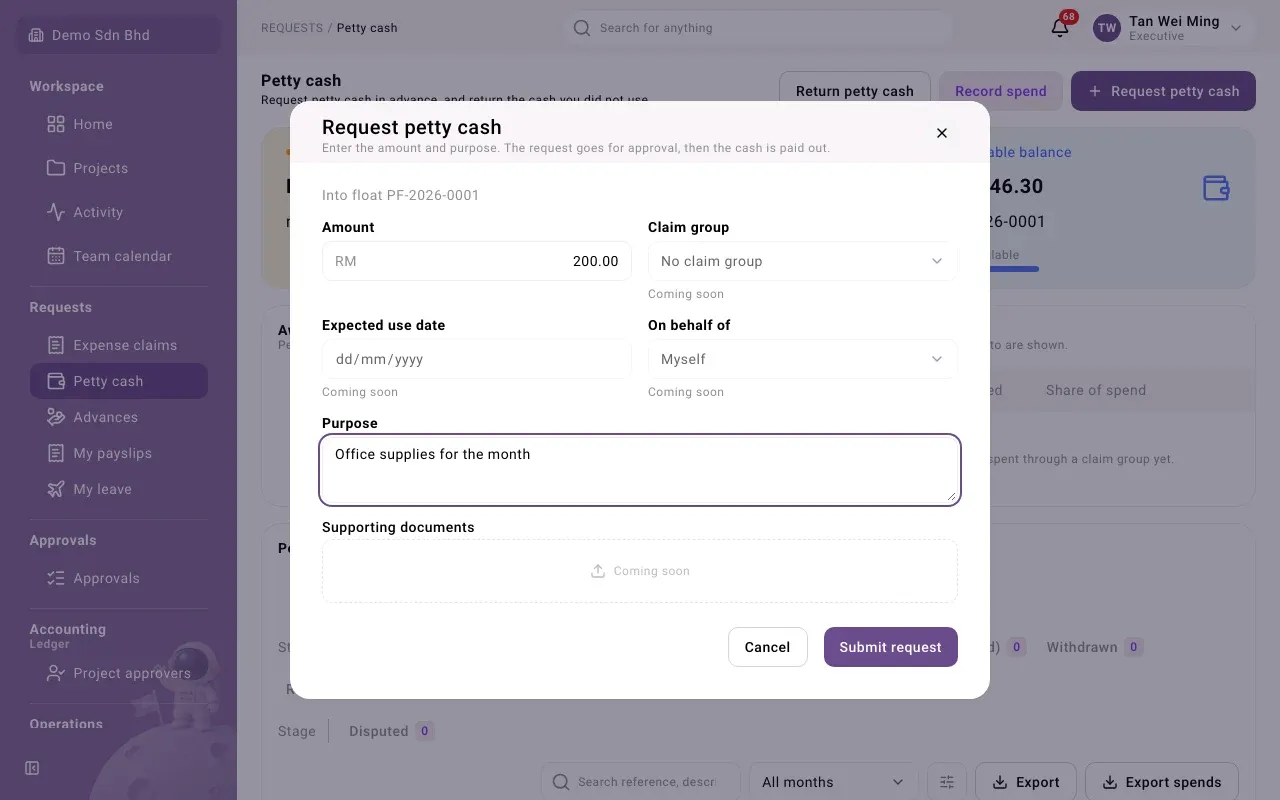
- Select Request petty cash.
- Enter the Amount and the Purpose.
- Select Submit request. You will see “Request … submitted”.
The request is reviewed and approved by the people your organization has set up, then paid into your float. Follow it under Requests; it moves from Requested to Reviewed, Approved and Paid.
Record a spend
Section titled “Record a spend”Do this each time you pay something out of the float.
-
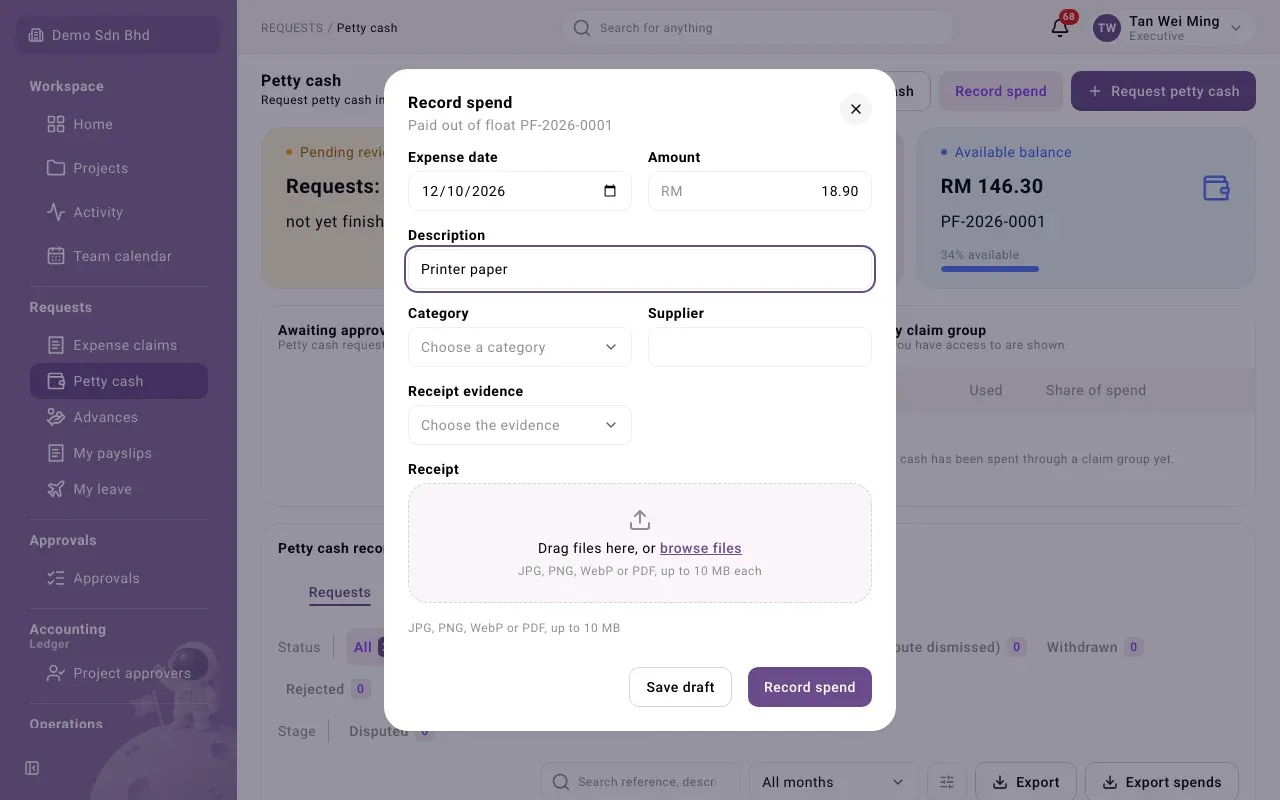
Select Record spend.
-
Fill in:
Field What to enter Expense date The date on the receipt Amount What you paid, greater than zero, e.g. 18.90 Description What it was, e.g. “Printer paper” Category Choose a category Supplier Who you paid Receipt evidence The kind of document you have, the same choices as in an expense claim Receipt Upload a JPG, PNG, WebP or PDF, up to 10 MB -
Select Record spend, or Save draft to finish later. You will see “Spend … recorded”.
If you choose Receipt without e-Invoice, you are asked Why there is no e-Invoice.
What happens next
Section titled “What happens next”- A reviewer, usually your superior, checks the spend in Approvals and records an outcome: Verified, Queried (they have a question) or Not reimbursable.
- Once it is Verified, open the spend and select Pay from float. It then shows Paid from float, and a Spend paid line appears under Cash movements.
If a spend is Queried, the reviewer has a question about it. Open it to see their outcome.
Return petty cash
Section titled “Return petty cash”Use this when you no longer need the float, for example when a project ends.
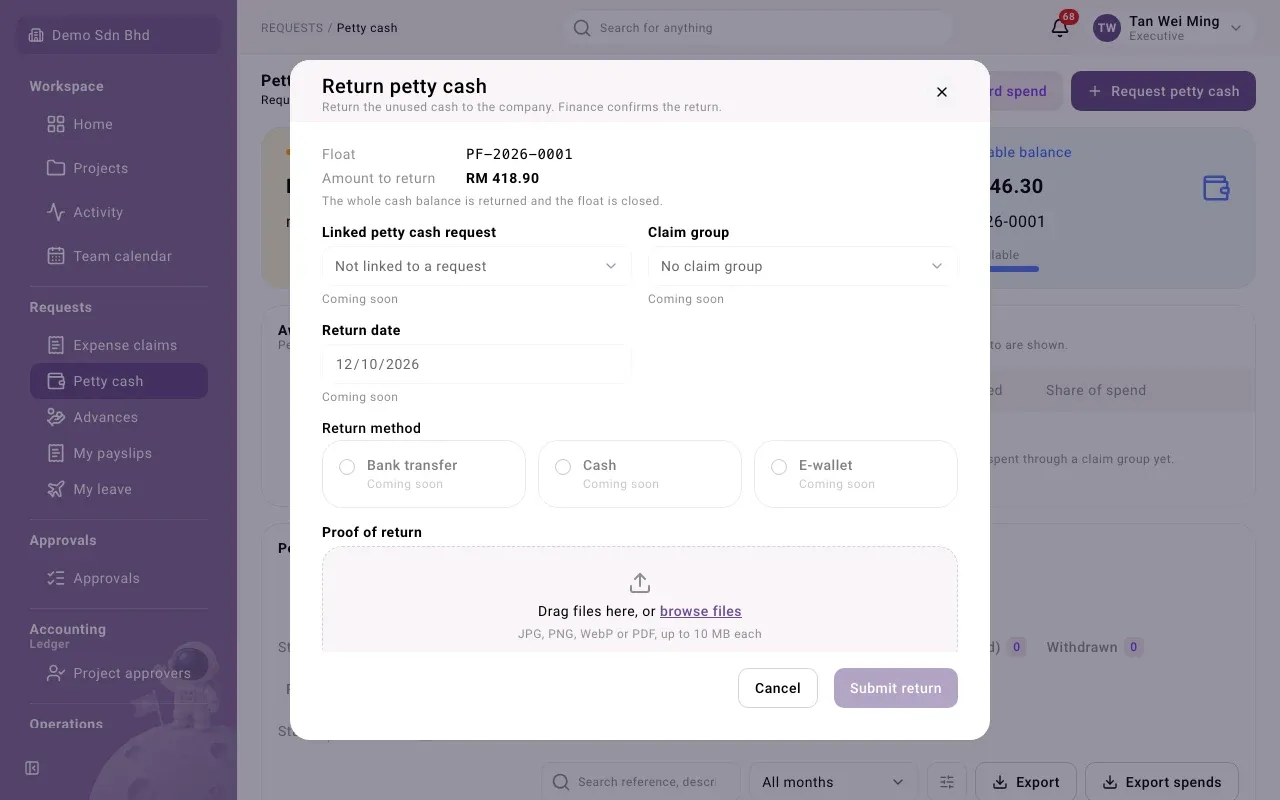
- Select Return petty cash.
- Check the Amount to return. The whole cash balance is returned and the float is closed. You cannot return part of it.
- Attach Proof of return, such as a bank slip or receipt (JPG, PNG, WebP or PDF).
- Select Submit return.
The float then shows Closing, with the banner “This float is being returned”. It becomes Closed once finance confirms the return.
For reviewers and finance
Section titled “For reviewers and finance”Spends and top-up requests waiting for you appear on the Approvals page under Petty cash spends and Petty cash top-ups, and in Awaiting approval on the Petty cash page. Open one to see its details. For a spend, choose a Review outcome and select Record review. See Approving claims for the general approach.