The setup checklist
This page is for the Owner. After company setup, the Finish setting up page lists the steps that get your team working. None of them blocks you: “Nothing here blocks you from working.”
You land on it straight after Finish setup. To come back later, select Finish setup in the sidebar, or Open checklist on the Finish setting up your company card on Home, which shows how many steps are left.
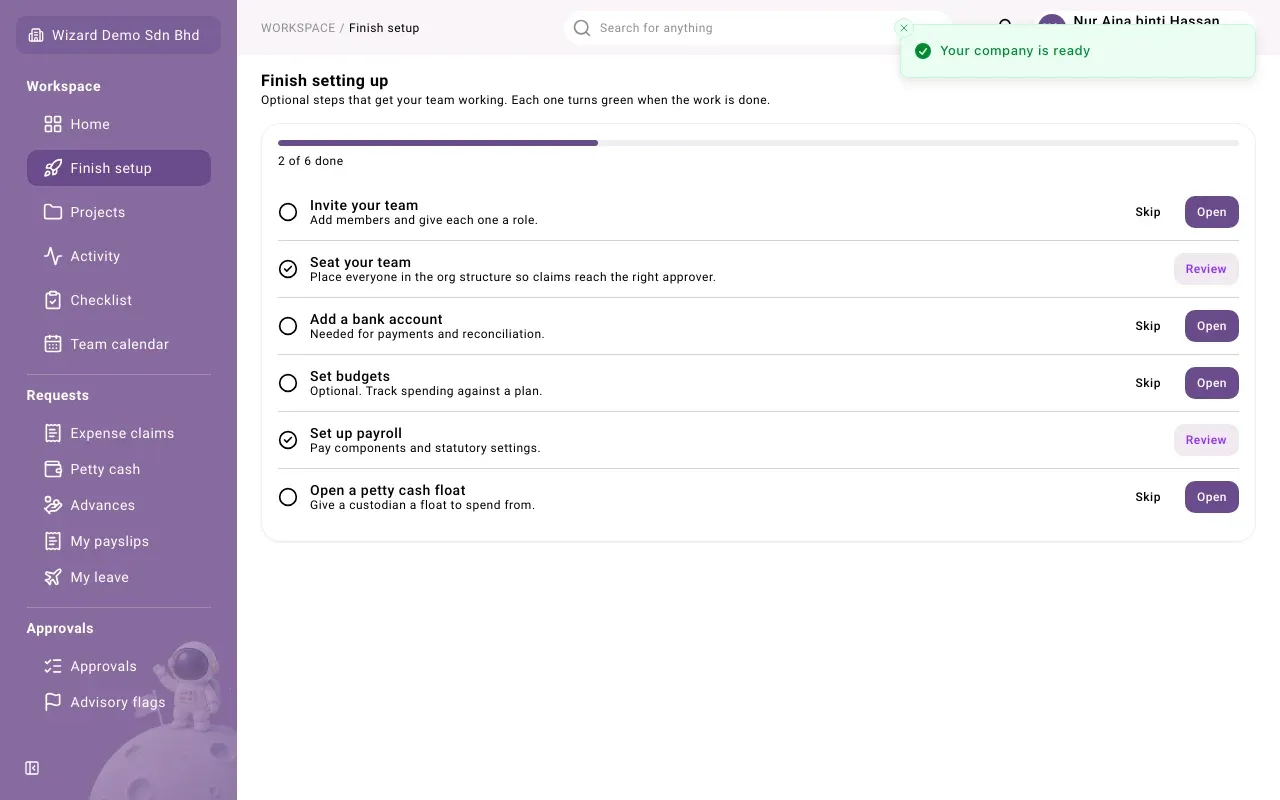
The checklist
Section titled “The checklist”The bar at the top shows how many steps are done, for example “2 of 6 done”. Each row has a title, a short hint and buttons. A row shows a tick when it is done or skipped.
| Row | What it asks for | Done when | Shown when |
|---|---|---|---|
| Invite your team | Add members and give each one a role. See Team and invitations. | A second person is an active member | Always |
| Seat your team | Place everyone in the org structure so claims reach the right approver. See Organization structure. | Every active member holds a position | Always |
| Add a bank account | Needed for payments and reconciliation. | A bank account exists | The Banking module is on |
| Set budgets | Optional. Track spending against a plan. | A budget exists | Always |
| Set up payroll | Pay components and statutory settings. | Payroll settings exist | The Payroll module is on |
| Open a petty cash float | Give a custodian a float to spend from. | A float exists | The Petty cash module is on |
A row is ticked by the app when the work actually exists. You cannot tick a row by hand.
Some rows are already done when you first arrive. Finish setup places you in the org structure, so Seat your team is done while you are the only member. It opens again when someone joins without a position, until you seat them. Set up payroll also shows as done straight after setup, before you have changed anything, so open Payroll setup and check it yourself.
The buttons on each row
Section titled “The buttons on each row”- Open takes you to the screen where you do that step.
- Review replaces Open once the step is done, so you can go back and check it.
- Skip sets a step aside when you do not need it. It is offered only on steps not yet done. The row then shows Skipped and counts as finished.
- Undo brings a skipped step back.
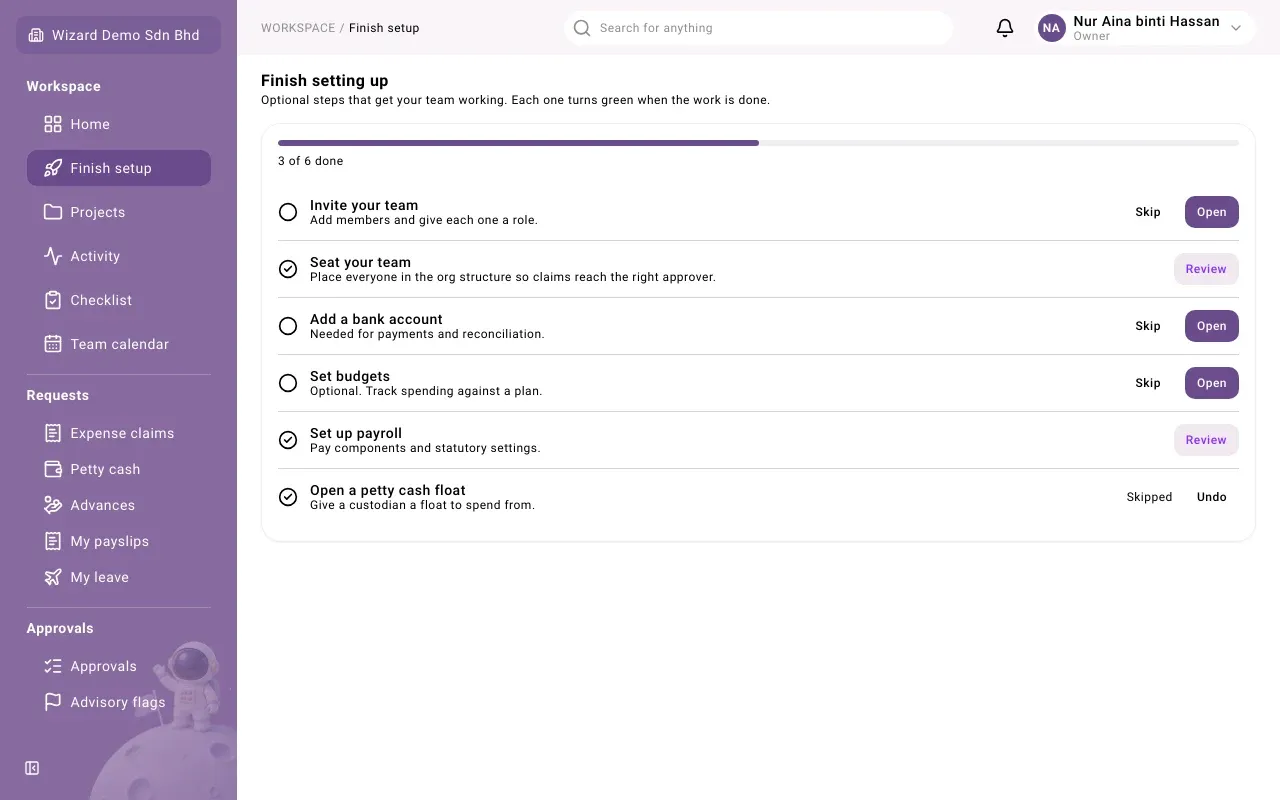
What happens next
Section titled “What happens next”While any row is open, Home shows the Finish setting up your company card, for example “4 steps left. Nothing here blocks you from working.”
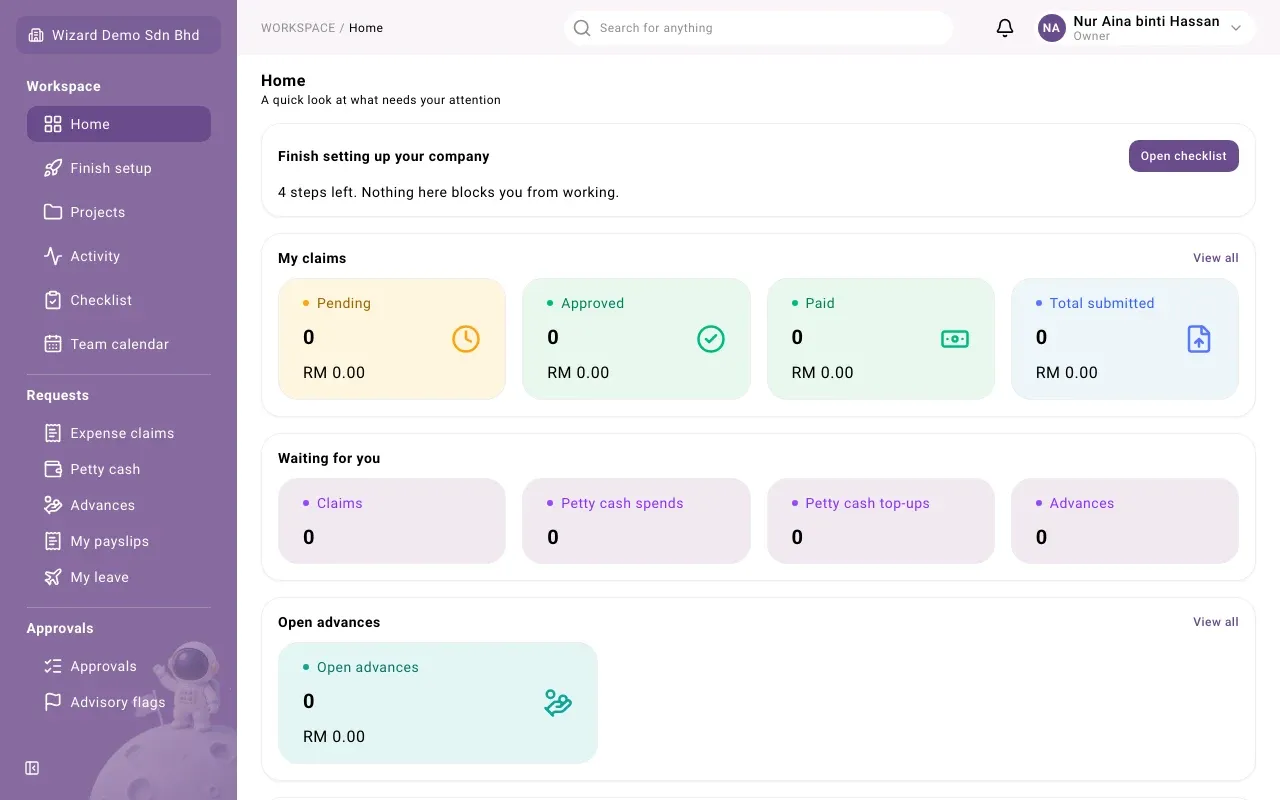
When every row is done or skipped, the Finish setup item leaves the sidebar and the card on Home disappears. If a row opens again later, both come back. You can still open the screens themselves from the sidebar as usual.
Who sees it
Section titled “Who sees it”Only the Owner, or anyone whose role includes the permission Complete company setup. Other people do not see the checklist, the sidebar item or the card. If they open the page anyway, it says “Only the Owner can complete company setup. Ask them to sign in and finish it.”