Bank accounts
Bank accounts is where finance keeps each of the organization’s bank accounts, imports its statements and reconciles them with the ledger. It is for people your administrator has given access to Banking; linking or changing an account needs the permission to manage bank accounts. You find it under Banking & tax in the accounting part of the menu.
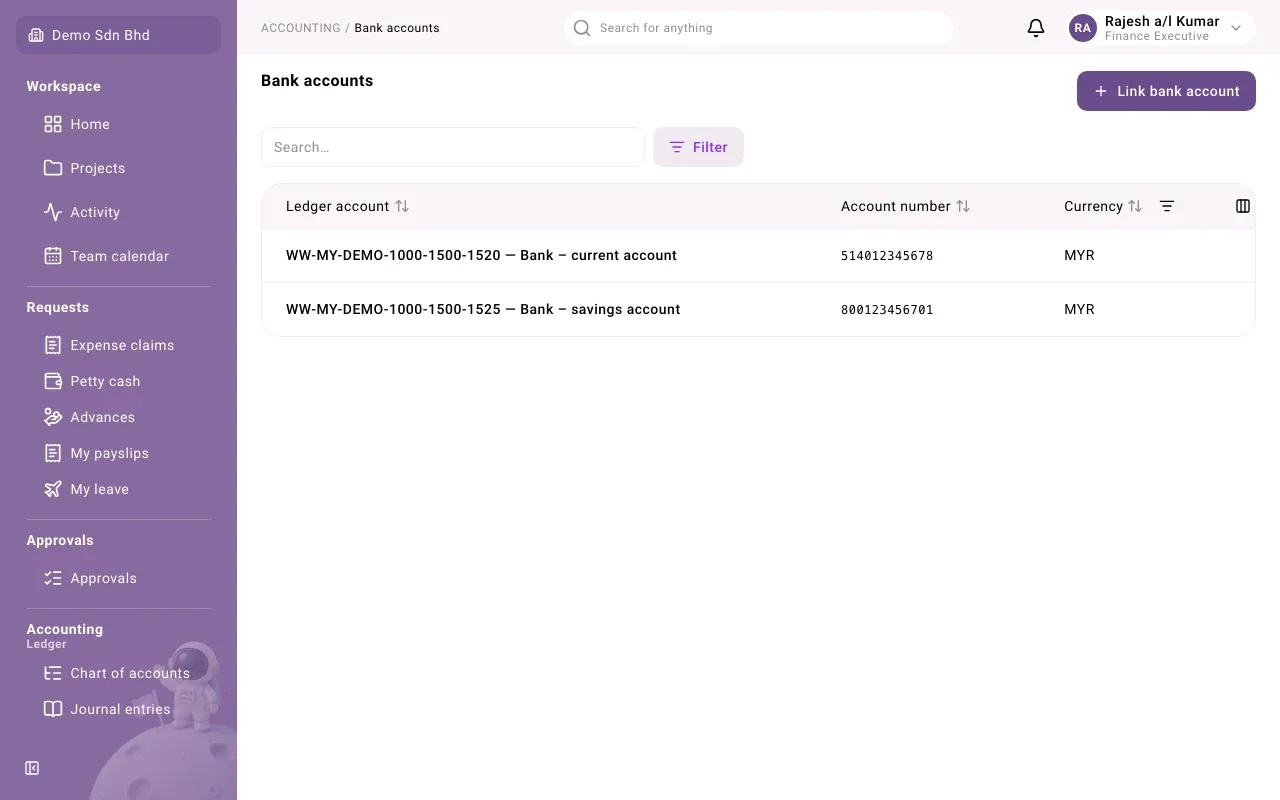
The list
Section titled “The list”The list shows each linked account’s Ledger account (its code and name in the chart of accounts), Account number and Currency. You can filter by currency, and show the hidden Inactive column to see which accounts are switched off.
Select a row to open the account. It opens below the list, with three tabs:
- Statements: the bank statements imported for it. See Bank statements.
- Matching: pair statement lines with ledger lines. See Bank reconciliation.
- Reconciliation: the reconciliation statement, and the lock.
Link a bank account
Section titled “Link a bank account”A bank account must first exist in the chart of accounts as a bank account. If it is not offered in the list below, ask whoever manages the chart of accounts.
-
Select Link bank account.
-
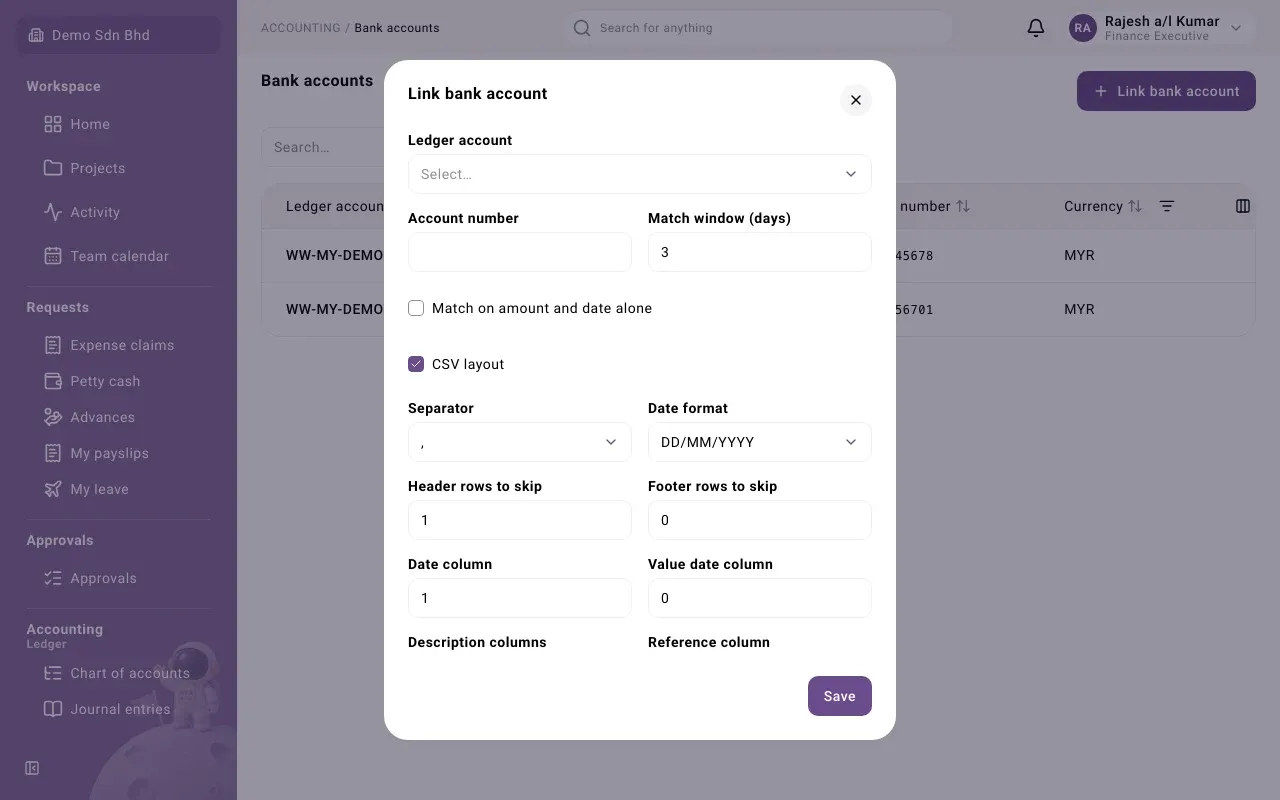
Fill in:
Field What to enter Ledger account The bank account in the chart of accounts. Only bank accounts not already linked are offered. This cannot be changed later. Account number The number the bank uses, as printed on the statement Match window (days) How many days apart a bank line and a ledger line may be dated and still match automatically. It starts at 3. Match on amount and date alone Tick to let automatic matching pair lines that have the same amount and fall within the window, even without a matching reference -
If this bank gives you CSV files, tick CSV layout and describe the file (below).
-
Select Save. The account opens.
CSV layout
Section titled “CSV layout”MT940 statement files need no setup. For CSV files, tell the system where everything is. “Columns are numbered from 1; 0 means none.”
| Field | What to enter |
|---|---|
| Separator | The character between columns, or Tab |
| Date format | How dates are written in the file |
| Header rows to skip and Footer rows to skip | Lines at the top and bottom that are not transactions |
| Date column and Value date column | Which columns hold the dates |
| Description columns | The column or columns that describe the transaction |
| Reference column | The column with the bank’s reference |
| Amounts | One signed column (negative for money out), or Debit and credit columns |
| Amount column, or Debit column and Credit column | Where the amounts are |
| Running balance column | The balance column, if the file has one |
| Decimal comma (1.234,56) | Tick if amounts use a comma for decimals |
| Newest line first | Tick if the file lists the latest transaction at the top |
If something does not fit, the field shows what is wrong when you save.
Change or switch off an account
Section titled “Change or switch off an account”The account’s settings (account number, matching settings, CSV layout and Inactive) can be changed after linking, but the Ledger account cannot. If you need to change an account, ask your administrator how to reach its settings.
Why reconciliation matters at period end
Section titled “Why reconciliation matters at period end”Every active bank account must be reconciled and locked through the end of a period before that period can be closed, unless someone has the permission to close with unreconciled bank accounts. Keep reconciliations up to date so month-end is not held up.